Huawei Pura 90s Pro Max Review: The Cameras Prove Huawei Is Back
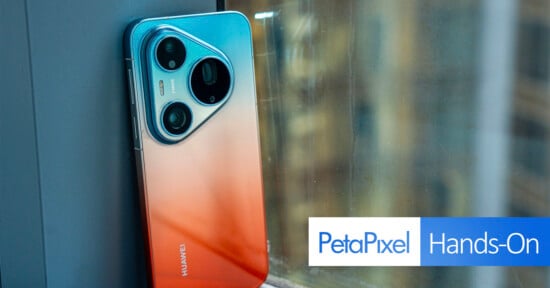
When I first did my hands-on with the Huawei Pura 90s Pro Max, I figured there was still room to push things further, and I was right to think so. But the interesting part is that it sometimes feels like the phone’s camera system has tricks up its sleeve that aren’t always apparent from the outset.
What we have here is proof Huawei can create a stellar camera system that can compete with the best in the industry.
Pros
- Excellent image quality
- Premium build
- Google services work via workaround
Cons
- Strange interface omissions
- No full-res RAW capture
- No 24fps video
It’s equally odd because Huawei also makes puzzling choices to begin with when it comes to the user interface and available tools. While that doesn’t necessarily sully what is, to me, one of the best phone cameras of 2026, it means the company is just a software update (or two) away from fixing things it should have put in place from the start. Either way, this is an excellent effort from a brand that’s previously lost its photography edge. The mojo is back with this one.
Huawei Pura 90s Pro Max Review: Design and Build
I cover a lot of the details in my previous hands-on but after using it extensively for three weeks, the phone feels undoubtedly premium and efficient. Battery life holds up well over the course of a mixed day of shooting and varying use. It charges fairly quickly, too. The screen is excellent and includes different display modes for the sake of color reproduction.
By using GBox to flood in Google Mobile Services (GMS), being untethered to Huawei’s own AppGallery means the Pura 90s Pro Max can function like any other Android phone. Even using a Canadian SIM card indicated the global variant has some life to it on this side of the world — despite Huawei not selling the device in Canada and the U.S.
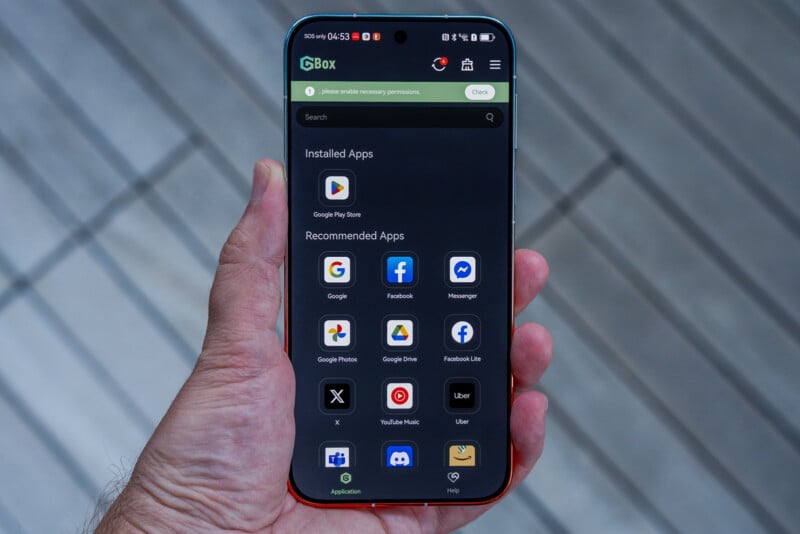
It’s not always seamless, mind you, like a weird bug I encountered multiple times where Lightroom would crash when I didn’t have an internet connection. Once online, the issue never resurfaced. This doesn’t happen with every app, so I can’t be sure about the cause but when it happens, it serves as a reminder that a workaround is what makes this fuller experience possible.
I point this out because it effectively means a mobile editing workflow doesn’t have to come with compromises. If there’s a third-party app you like to use, either to capture photos and video or to edit the content, there’s nothing really stopping you from doing so. That makes Huawei’s “photography-focused” flagship less of a fancy Chinese camera phone and more of a competitive, high-end Android phone with a fantastic camera — just like its key competitors.
Huawei Pura 90s Pro Max Review: Camera Features
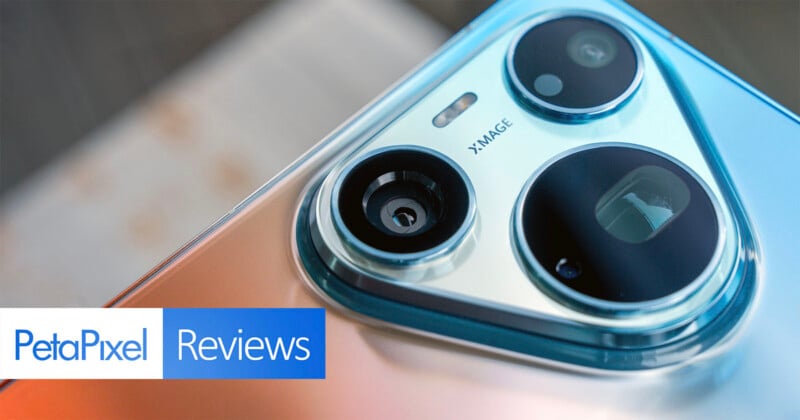
To recap, the “rebuilt” Pura 90s Pro Max camera system focuses on three areas: telephoto reach, dynamic range, and color accuracy. The first of those comes from the 200-megapixel Ultra Large Sensor Telephoto Camera (96mm equivalent), using a Type 1/1.28 sensor with f/2.6 aperture and optical image stabilization. The 4x optical zoom is buttressed by a 10x hybrid zoom (240mm equivalent) that proves more than useful in lieu of its own sensor and lens. One reason this phone can pull it off is that the sensor is the biggest in a telephoto camera to date — tied only with the Oppo Find X9 Ultra.
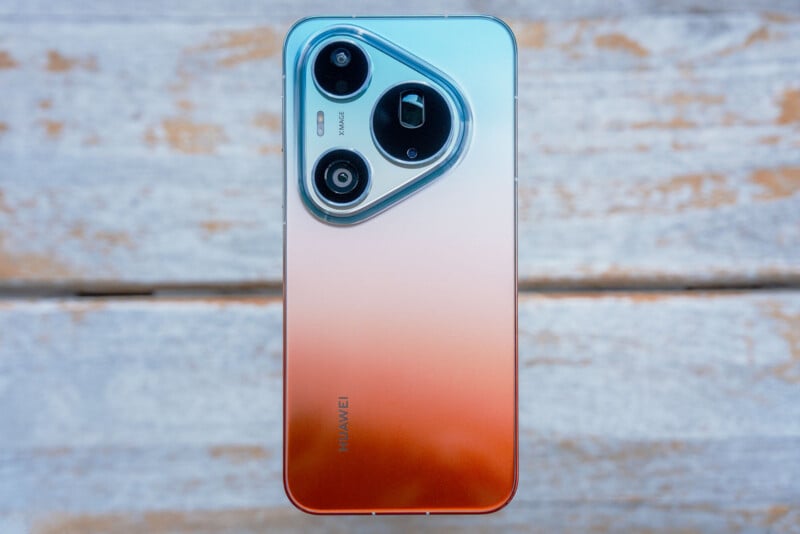
The 50-megapixel main camera (24mm equivalent) uses the same Type 1/1.28 RYYB sensor, featuring a mechanical variable f/1.4-4 aperture that you can only control in Pro mode. While I never used it, the previous Pura 80 Ultra came with a Type 1 sensor for the main camera, so Huawei sadly chose a smaller one here.
That Huawei likes yellow sub-pixels over green ones isn’t new, given the company has gone with this type of sensor array for the better part of a decade. It applies the same way for the 40-megapixel ultra-wide (13mm equivalent) with f/2.2 aperture. The True-to-Color spectral sensor rounds out the rear array — a hardware piece Huawei highly touts as a means to better handle color and white balance, including in tougher situations.
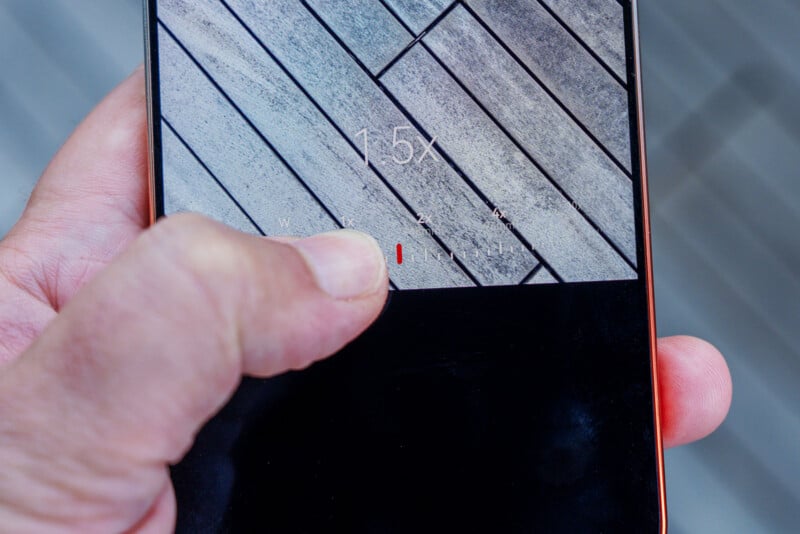
However, in releasing the Pura 90s Pro Max to global markets, Huawei also makes some baffling decisions on what to include or exclude from the system. For example, there are no shortcuts to crop factors, like 35mm or any others in between those already available in the interface. Instead, you have to either pinch-to-zoom or drag your finger forward or back to make the adjustment. It doesn’t make much practical sense, especially when the Chinese variant already offers those shortcuts — also proving there’s no technical issue involved, so why do it this way? Huawei vaguely cites “user habits” as the reason for this divergent route.
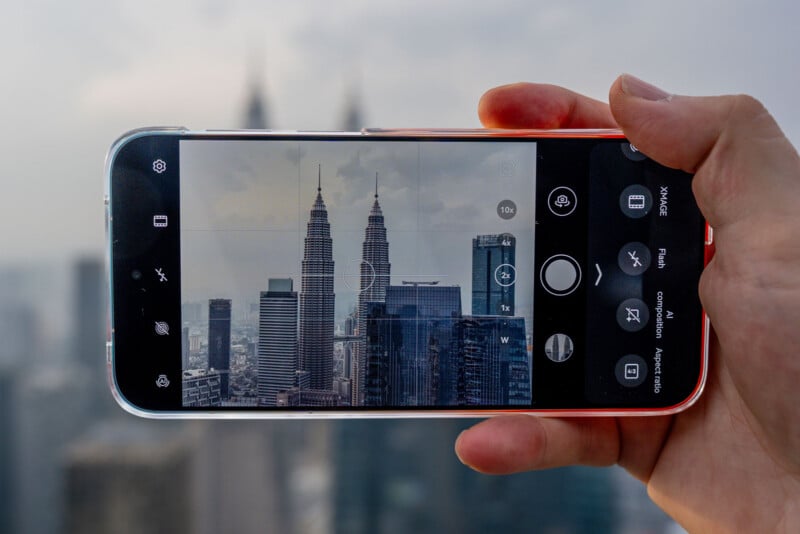
I also can’t understand why it would bury the timer in the camera app’s settings rather than make it part of the quick settings available when swiping up from the interface. The company claims it did this “based on in-depth user research and analysis,” but I fail to see how that jives with the very idea of accessing what has long been a staple feature on smartphone cameras. As is, taking a low-light or long exposure photo with as little movement as possible requires multiple redundant steps.
I feel the same way about relegating exposure compensation only to a manual setting in Pro mode because it should be available throughout the interface. I suspect Huawei believes its image processing pipeline can handle most dynamic range challenges to offset that, and while no one at the company told me that, there’s reason to be confident given the results. My problem is that the inability to adjust the baseline for the standard exposure slider that pops up when tapping to focus means I’m dimming or brightening parts of an image I don’t want to affect as much.
Huawei Pura 90s Pro Max Review: Image Quality
There are more than a few moments where the Pura 90s Pro Max proves to be an outstanding camera system. Capable of taking spectacular photos, the real treat here is that it can do it with different focal lengths and under varying conditions. By default, the phone uses pixel binning to knock down resolution to 12.5 megapixels for the main camera, though I chose to toggle on “Enhance Images” in the settings to raise that to 25 megapixels. I can’t say there’s a big quality difference between them but the extra pixels do make a material difference when shooting at a 1.5x crop to get that 35mm equivalent.
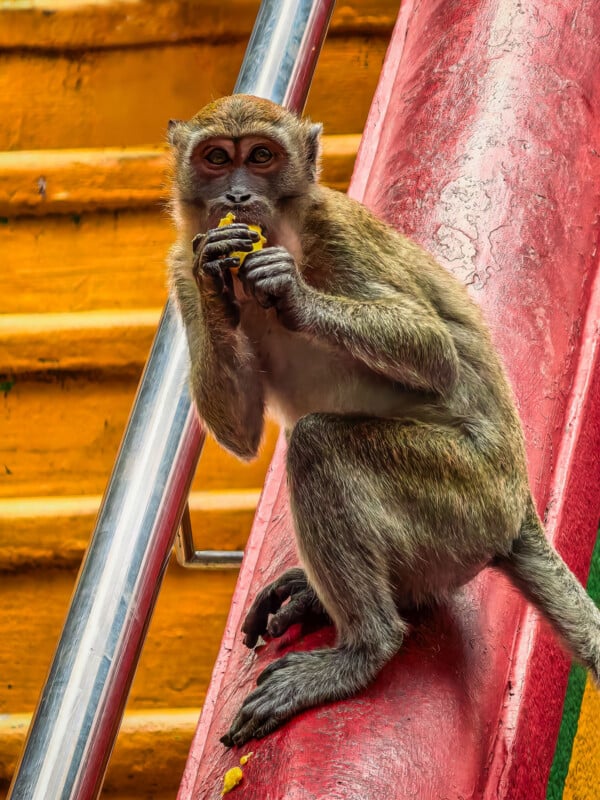

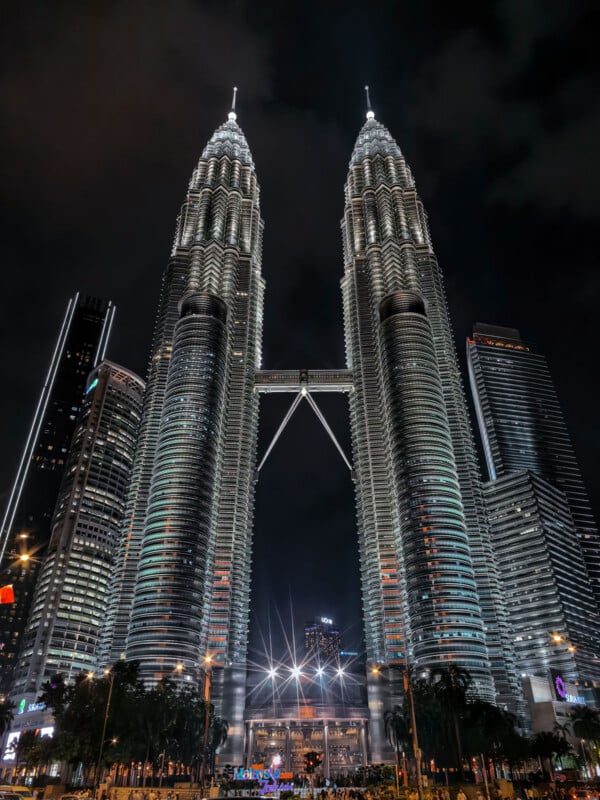
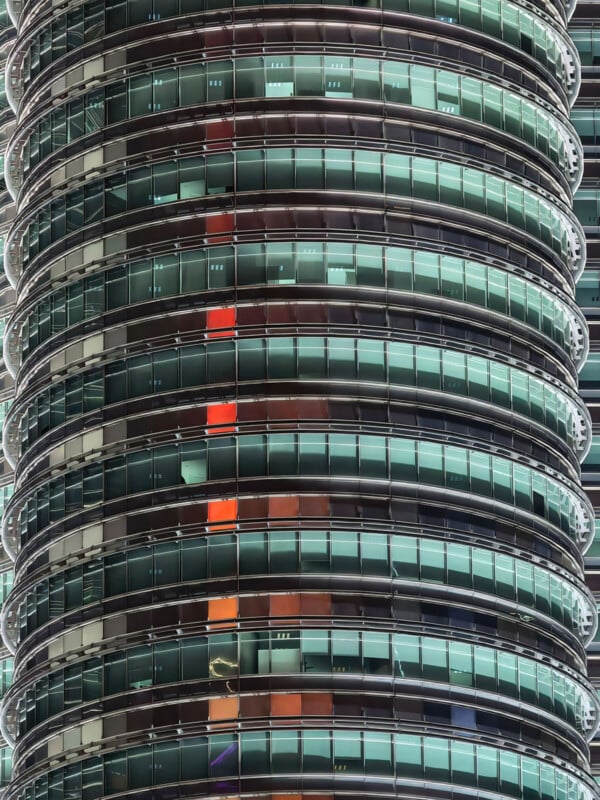
What works is that the phone feels equally consistent and versatile. A photo of the Petronas Towers in Kuala Lumpur at night doesn’t come off as a quality outlier over a sumptuous dish or a close-up of a macaque.
Further, the telephoto is as adept and effective — maybe even more so — than the main camera is. The seven stops of stabilization become evident when snapping quick photos or looking to capture a subject from a distance or up close. Zooming in at 10x or moving in close with Super Macro mode doesn’t feel like one has to cannibalize the other for the sake of quality. They both come out looking great.
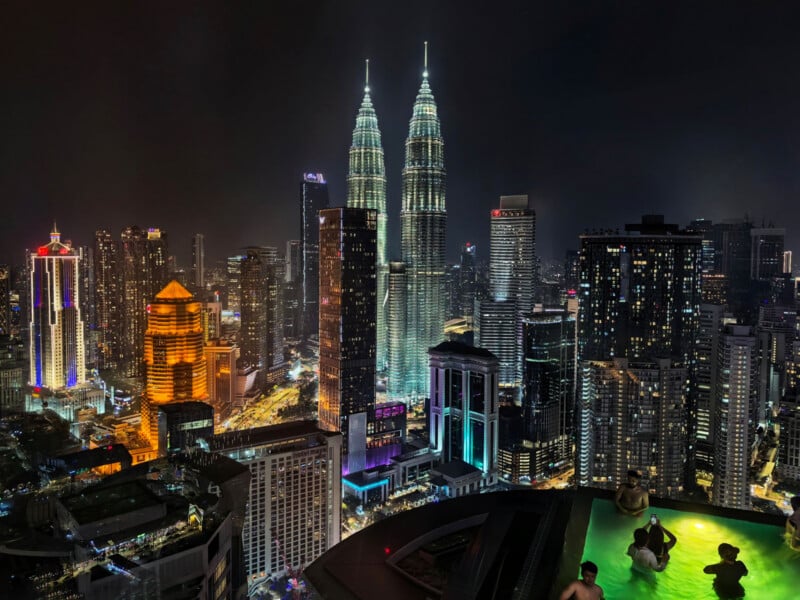
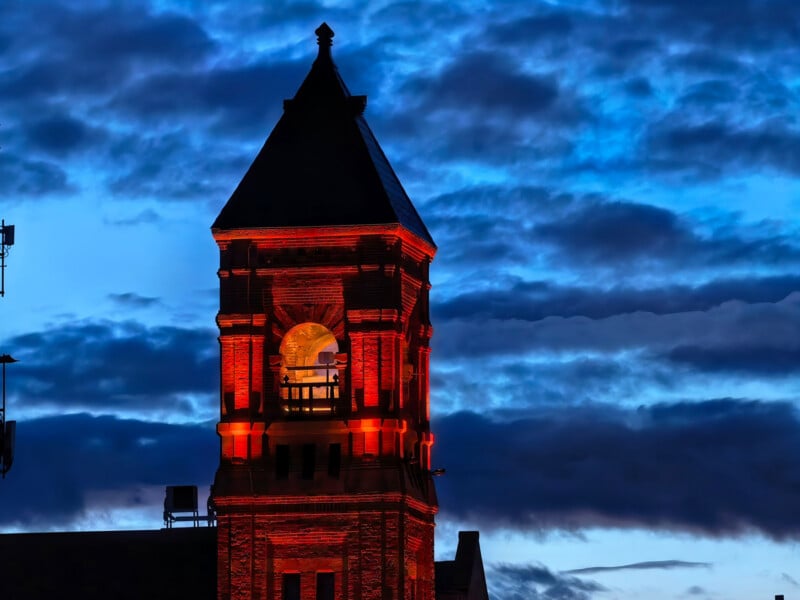
Dynamic range is superb in ways iPhone and Samsung Galaxy flagships simply don’t come close to matching. I rarely had to contend with a blown-out sky or worry that contrasty shadows would lose all detail. While 10x images definitely have a more processed look in comparison, I give Huawei plenty of credit for dialing back excesses to produce excellent images that don’t look artificial. You certainly get some of that with all the rendering going on for 10x photos but it’s much less evident in the optical ranges.
Mind you, I’m not even sure how to describe Huawei’s style. Its Xmage styles are limited to just four options, one of which is monochrome. There are virtually no filters beyond that, save for the large selection in the Gallery app’s editing suite.

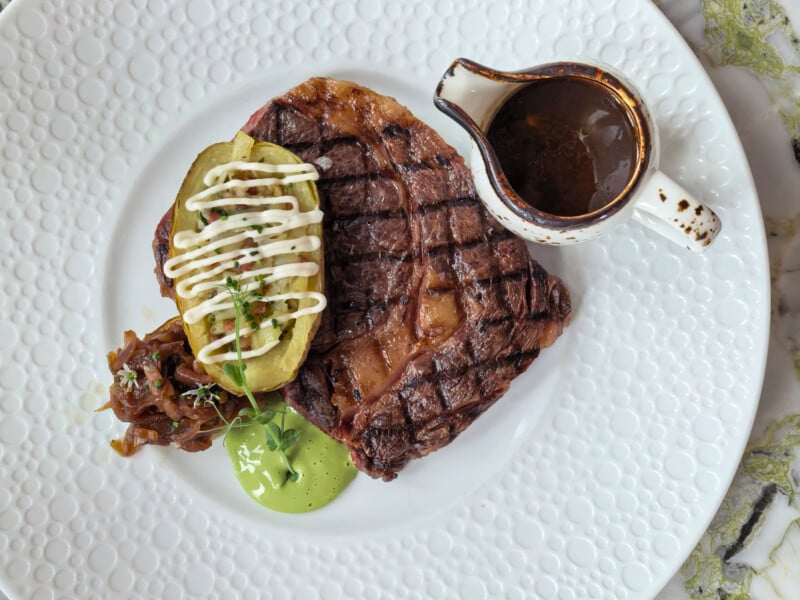
It’s ironic because Huawei once had a years-long partnership with Leica that, in my opinion, had a major impact on how the former approached photography. These don’t look like Leica photos, of course, but the legacy of that collaboration holds up to my eyes. Not every photo coming out of this phone is perfect, yet it feels harder to take a “bad” photo here than it is a good one.
High-Res, Pro Mode, and RAW
At launch, it wasn’t possible to take any 200-megapixel images with the telephoto camera until Huawei unlocked that feature in a recent software update. I just don’t like the three-second countdown that applies to taking any photo in High-Res mode, making it all but useless for even the slowest movement at the higher resolution. There’s no way to turn the timer off, and based on how it all works, there’s no resolution choice, either, meaning you can’t choose to take a 50-megapixel shot instead.
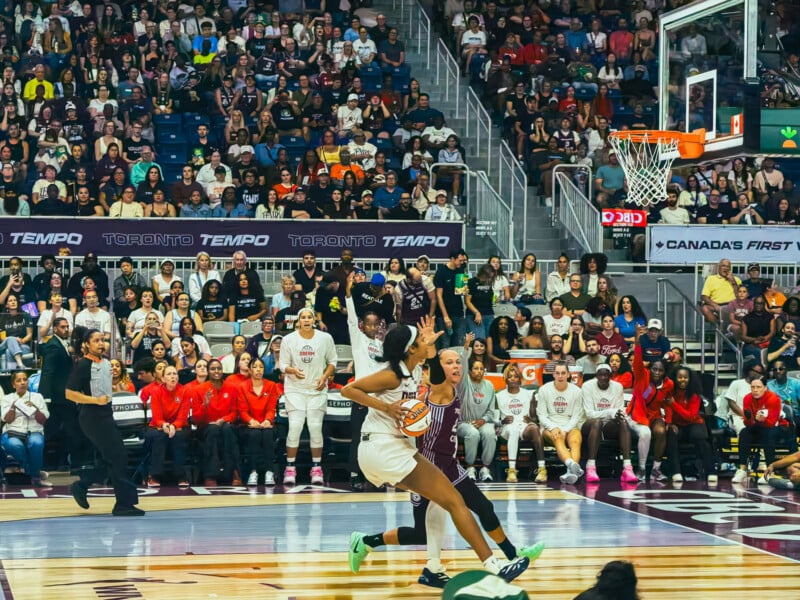
It’s an oversight the company should address, considering 200 megapixels is overkill for most high-res images and all but negates getting a good shot in low-light or night settings. I’ve searched for ways to select 50 megapixels instead (which is what it was before the update) but haven’t seen any specific setting to do so.

Both High-Res and Pro modes purely stick to optical ranges, as expected, though I’m not thrilled RAW photos are limited to 12.5 megapixels in Pro for all three rear cameras. It gives you the option to take 50-megapixel JPEGs (under JPG-L) for all three but doesn’t extend that courtesy to RAW images.
A software update could change all that, adding to a list of remedial fixes Huawei needs to apply to make this a more well-rounded, manually-inclined system. Image quality is already excellent but why limit photographers in how they choose to compose or output photos and video?
Specialty Photos
The good news is the versatility involved doesn’t mean the camera UI is filled with filler. Snapshot mode is very good at freezing action, even if it’s not quite at the same level as Vivo or Oppo in that regard. It even performs pretty decently using the 10x hybrid zoom.


Portrait mode exists more for what Huawei calls “facial enhancement”, while Aperture mode is better suited for capturing objects and scenes — each with a bokeh effect, naturally. The unfortunate part is the mechanical aperture is locked down for both modes, leaving you with a steady f/2 aperture to work with either way. Pro mode gives you more control over composing similar shots, particularly if you’re looking for something shallower in f/4 using the main camera.
Light Painting is the phone’s long-exposure mode, albeit a limited one, in that it only works with the main camera and leaves you with little control. I like that you can manually control the length of the exposure but that also means touching the shutter again when any sort of movement might negatively affect the result. A simple sliding timer would negate that concern.

Super Macro is better because it works with the entire lens array. Plus, you can use manual focus if you want to make minute adjustments to bring the subject into focus. There is, however, a confusing discrepancy between Huawei’s listed specs and real-world use. The company claims a five-centimeter minimum focusing distance, implying that it’s applicable to the full array. It’s not. Only the main and ultra-wide can stay sharp that close. The telephoto, which is the more advertised of the group given the macro logo appearing over the 4x zoom, is actually closer to 15cm, so it’s a big difference in practice.
Video Features
The video side of things presents its own set of questions. First, it’s not clear why Huawei eschews 24fps throughout. If we include Pro mode, that cinematic frame rate isn’t available in any of the six video modes. Second, slow-motion video only works through the Slo-Mo mode, cutting it out entirely from Pro mode (video). Worse yet, it’s limited to 1080p for no apparent reason. There’s not a single avenue for capturing 4K footage at 120fps.
Huawei simply says these features will be “considered for future product updates and support”. There’s also no Log recording option in Pro mode, so apart from manual composition settings in Pro, Huawei’s own processing does the work. That’s a shame because video footage is quite good, along with excellent stabilization to keep things smooth handheld, but you still go in with your hands tied.
Under the circumstances, the video story is basically recording in 4K or 1080p at 30fps or 60fps. Sure, there are plenty of modes to experiment with but there’s not a whole lot of granularity once you dive into any of them.
Huawei Pura 90s Pro Max Review: Back in Action
What we have here is proof Huawei can create a stellar camera system that can compete with the best in the industry. Despite my own six-year gap between testing the company’s phones, the results I’ve seen from flagships over the years don’t make the output here a total surprise. The Pura 90s Pro Max is definitely the real deal. I could pick dozens of shots I captured with it over the last few weeks for this review as evidence of how versatile and effective it is under a variety of situations.
That pure capability is what makes Huawei’s UI decisions all the more perplexing. I’m not sure what market research can explain why Western users wouldn’t want quick toggles to hybrid zoom crops, better access to timers, or 24fps video. The omissions don’t stand out more than the excellent image quality but it’s a constant reminder every time I have to pinch or drag my way to a 35mm crop or find a timer.
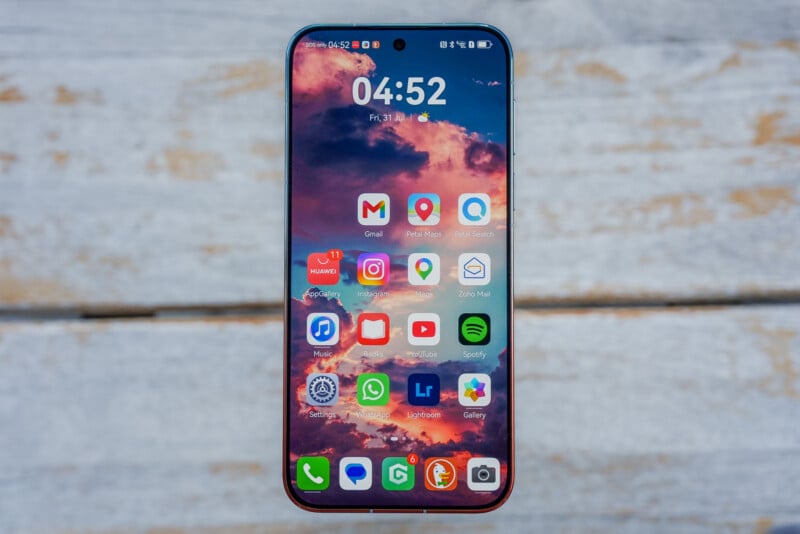
The other side of this is general compatibility. GBox all but ensures the phone works the same way as other Android phones do. Apart from certain apps that may be more tied down, notifications come through like they otherwise would, which is a big difference from how Google virtualization worked only a few years ago. Caveats remain, though, like Google Wallet letting you store cards but not enabling tap-to-pay via NFC, for instance. Other apps, however, support it because they don’t rely on Wallet. It may all sound confusing but my experience tells me that a vast majority of the Google experience works pretty robustly on this phone.
Are There Alternatives?
Based on image quality alone, the toughest competitors also hail from China. The Vivo X300 Ultra is probably the most well-rounded mobile camera system available, not just because of the sheer volume in modes and settings, but also because of the leap it takes in video performance. I would say the same of the Oppo Find X9 Ultra, an outstanding device that proves it can handle almost any setting you throw in front of it.
Leica may no longer work with Huawei, but its presence in both the Xiaomi 17 Ultra and Xiaomi Leica Leitzphone presents a unique photography style that stands out from others. The Honor Magic 8 Pro isn’t quite as good in general photo output, yet it offers a far broader range of options when it comes to video.
On the North American side, I can tell you none of the established brands will match what Huawei routinely delivers. The Samsung Galaxy S26 Ultra offers a lot to work with given the deep UI, including extra features for RAW capture, but the telephoto capabilities simply don’t reach the level of the Pura 90s Pro Max. We’ll see if the next Google Pixel 11 series can take steps to close the gap. Same with the upcoming iPhone 18 series. With OnePlus drawing down its business, the Nothing Phone 3 stands out as an alternative in an otherwise stagnant market.
Should You Buy It?
Maybe. At its best, the Huawei Pura 90s Pro Max is very good, but priced at roughly $1,300 USD (after conversion from Euro), it’s not really undercutting anyone on price, which only makes the omissions more glaring. The Android virtualization isn’t as much of a roadblock as it once was, and my own testing shows the phone can work quite well in North America.