Glyph Atom EX80 Review: Fast and Feature Rich
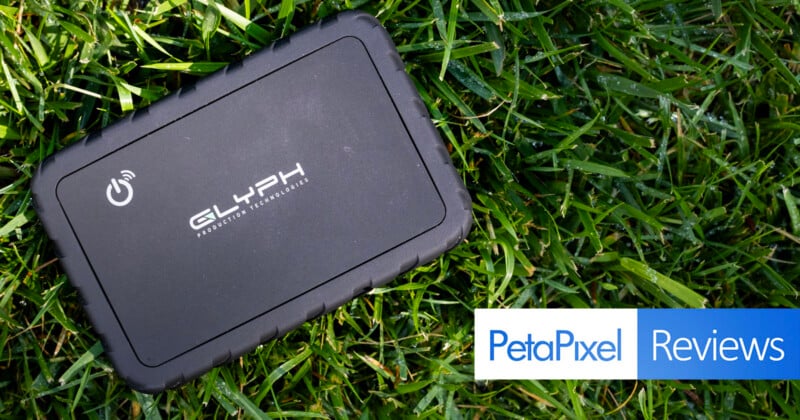
I’ve been reviewing HDDs and SSDs for the better part of a decade, and there has been one constant throughout all of it: the price-to-speed ratio is pretty much always top of mind. But with the ballooning costs of memory making personal storage absurdly expensive, the value-add found in the Atom EX80 has me rethinking this paradigm, at least a little.

Glyph’s Atom EX80 isn’t just a storage device. It looks at a photographer or filmmaker and actually gives them solutions to real-world problems.
Pros
- Fast, 80 gbps transfer speeds
- Built-in tracking (Apple FindMy & Android)
- Rugged, magnetic, compact
Cons
- No water resistance
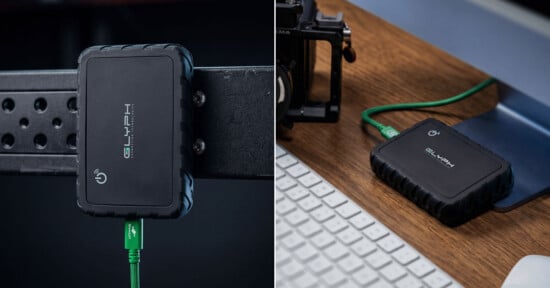
The Atom EX80 is an interesting SSD because it combines top-of-the-line 80 Gbps (240 watt) performance (which we’ve only seen from Oyen to this point) along with MagSafe and built-in tracking that works with Android apps and Apple FindMy. I’m not usually looking for these kinds of additional features when reviewing an SSD, but given the current market and the fact these are both legitimately useful, Glyph has me changing my perspective on what a modern, high-performance SSD should offer.
Glyph Atom EX80 Review: Design and Build Quality
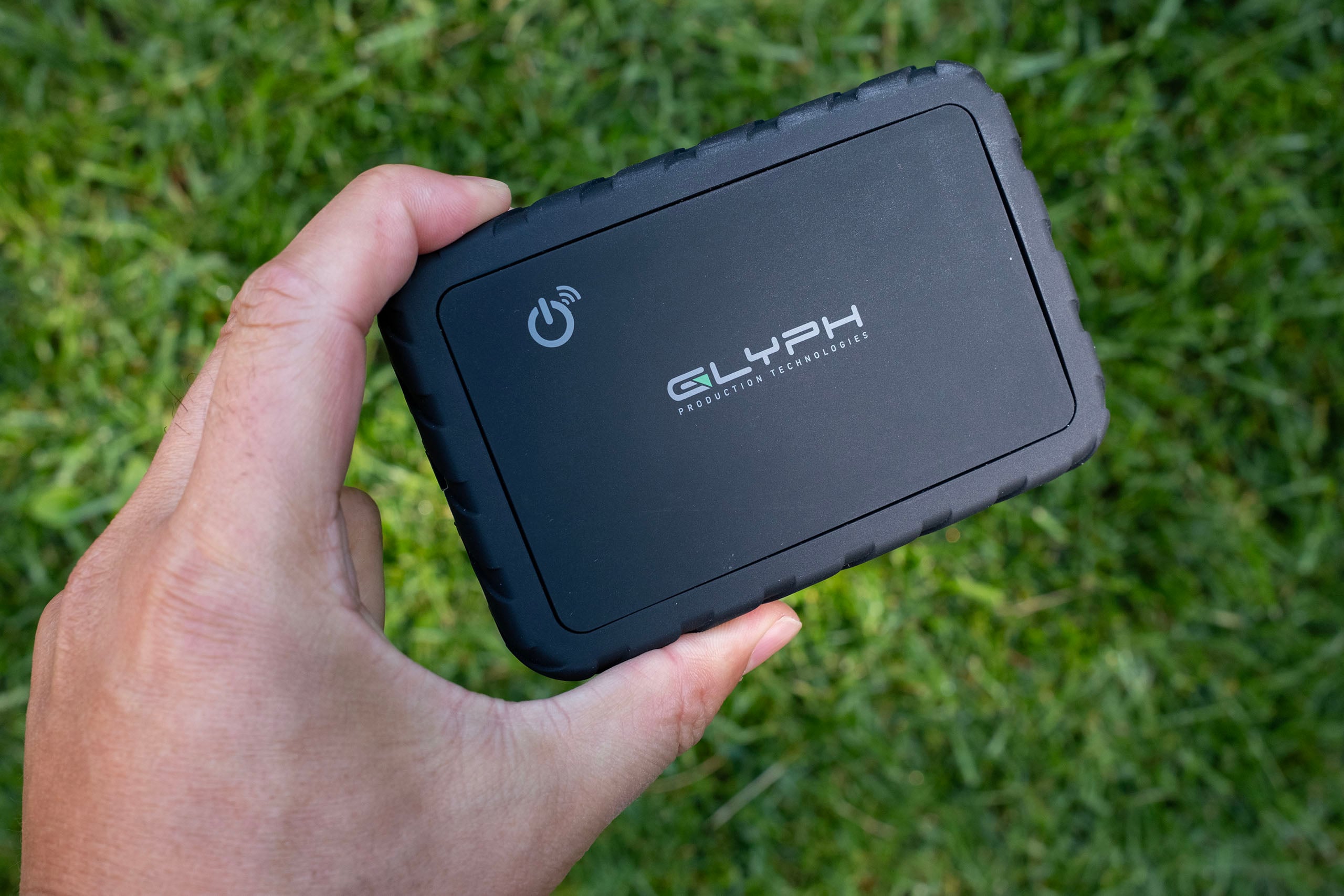
Glyph may be a relative newcomer to the photo and video storage space, but it understands branding and design. The EX80 looks really nice and has a level of quality that feels like a truly finished product. In my review of the Oyen U35 Bolt+, I mentioned that it just kind of looks like a bland, gray brick. It has a flimsy silicone bumper that doesn’t feel like it fits quite right, and the whole thing gives off the vibe that it was never touched by anyone with design sense.
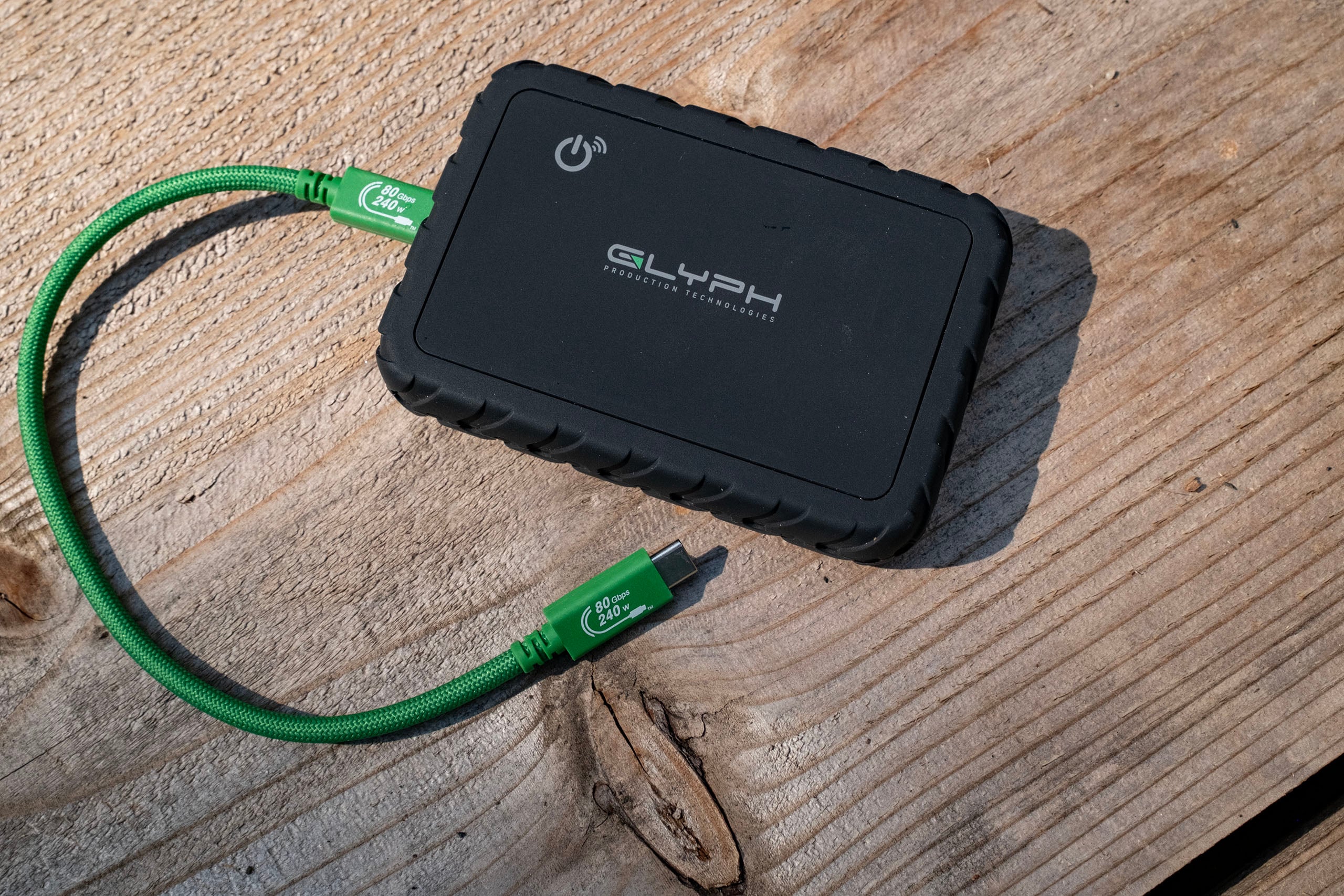
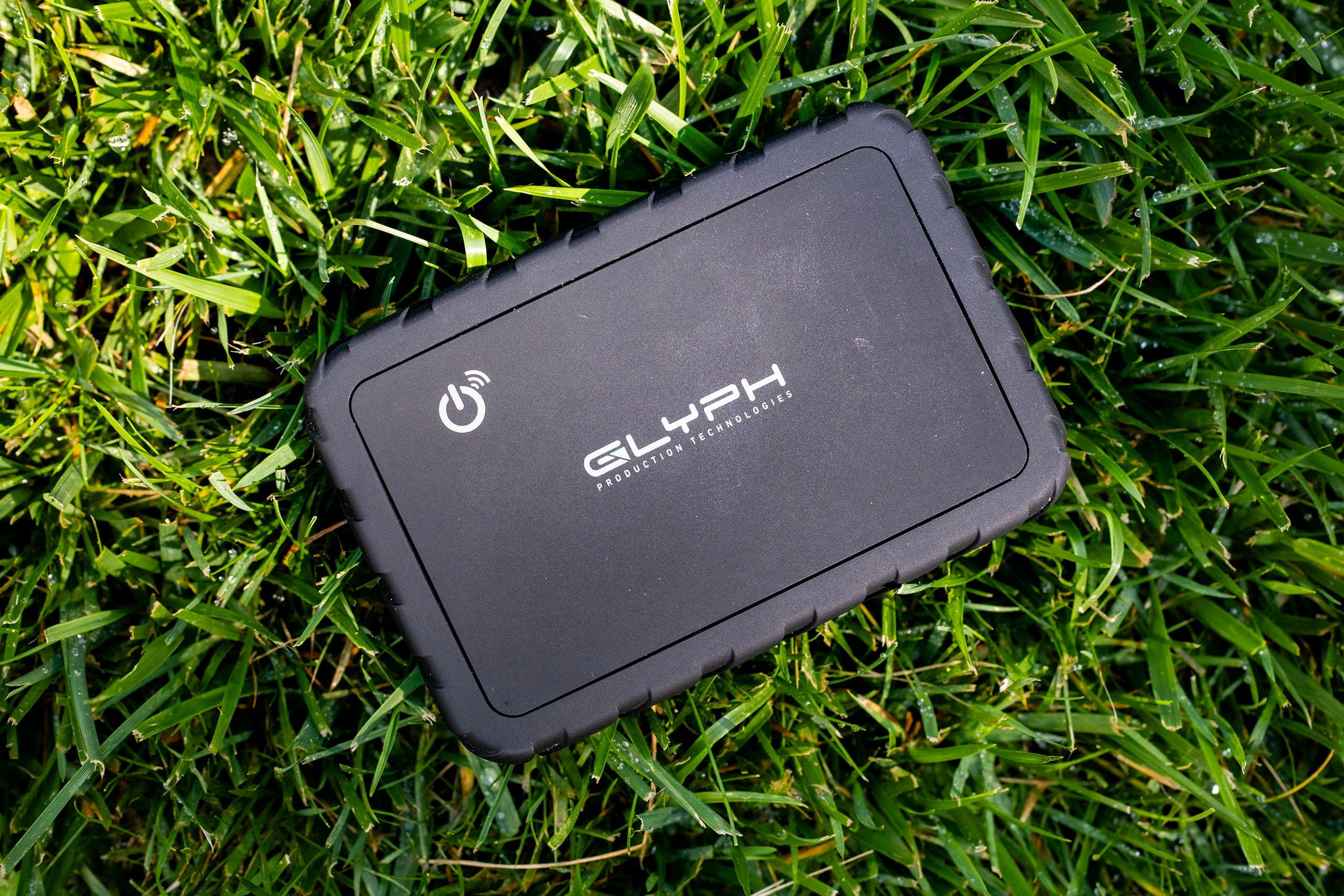
Glyph’s SSDs are a stark contrast to that. While, at their core, both brands are selling small aluminum bricks with silicone bumpers, Glyph shows that you can have the same general goals in mind but execute them entirely differently. The EX80 is the cooler Daniel, with a tight-fitting bumper with a nice textured grip as well as an included bright green, woven USB-C cable. It’s a visually pleasant, complete package that I would not mind setting on my desk next to my laptop.
That silicone bumper can be removed, but the tolerances are very tight so it probably won’t ever come off unless you want it to. If you do remove it, you’ll reveal the MagSafe magnet living in the case itself, so if you do intend to use this with a smartphone, know that you’re snapping a connection to the case, not the SSD housing.
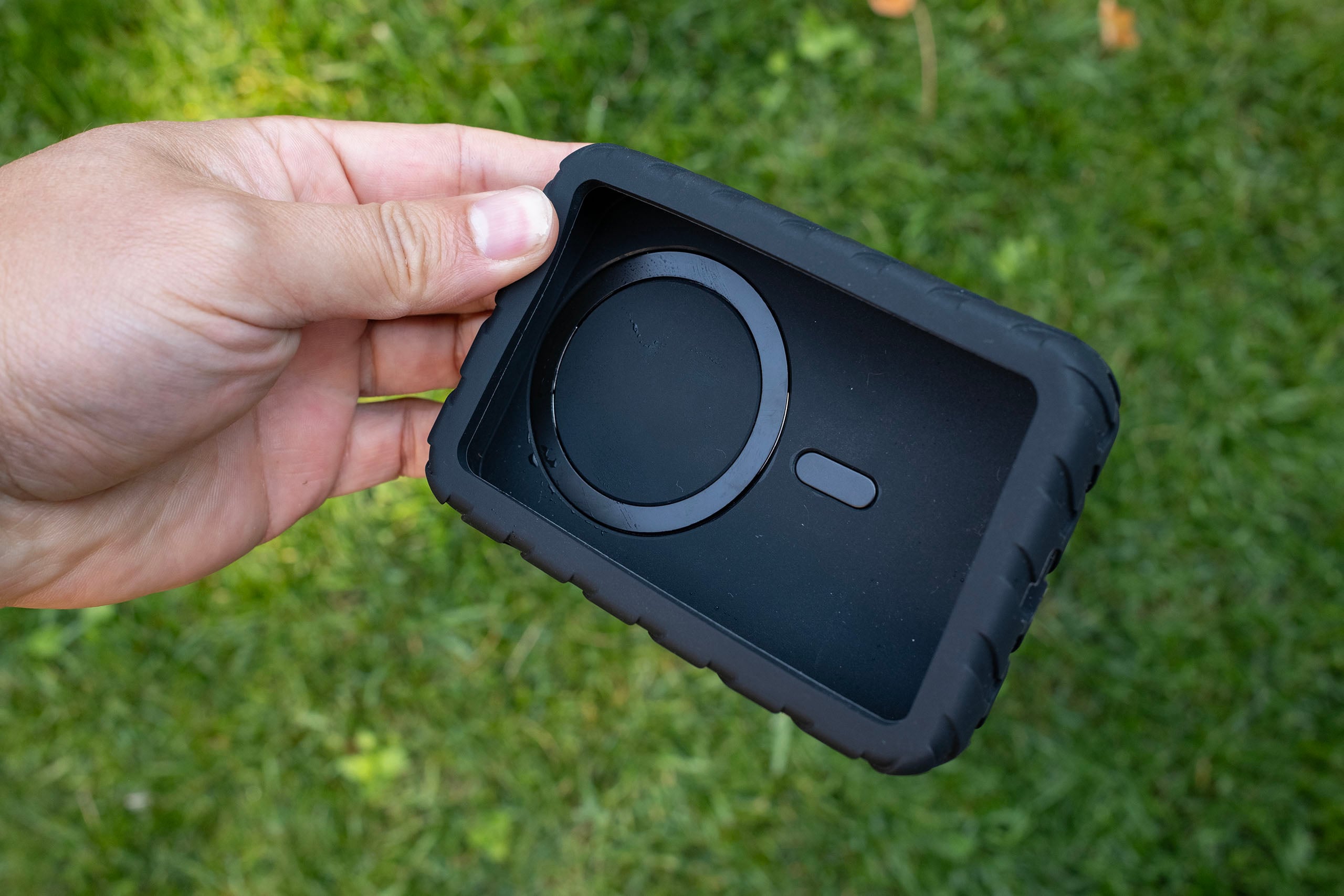
That doesn’t practically change how you’ll use the SSD, but there is part of me that might start to worry that I’m holding this very expensive piece of tech to my iPhone with just silicone, tightly affixed to the aluminum body as it may be.
That magnet doesn’t just work with MagSafe, it will allow the EX80 to stick to any magnetic surface like the edge of my desk.
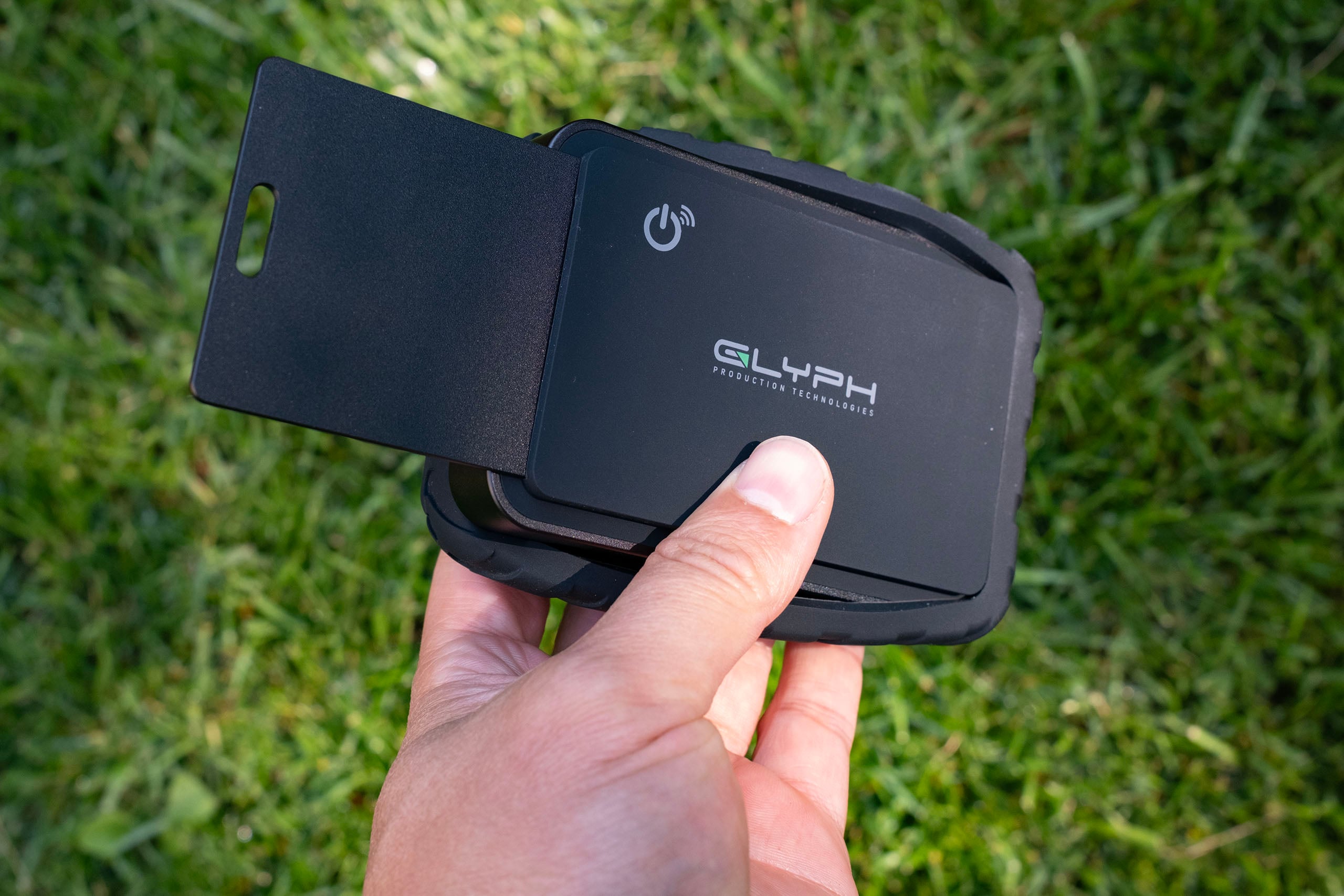
On the top of the SSD itself is a raised, silicone bump, and inside this is a thin little tracker that is about the size of a business card. It has a power button on it that you only have to activate once when you first open the SSD out of its box, and it immediately starts a pairing signal that you can find easily in your smartphone app of choice. I used Apple FindMy, and now I can keep track of the SSD. Glyph says that as long as there is any Bluetooth device nearby, it will log that location, allowing you to keep track of it basically to the same degree as an AirTag.
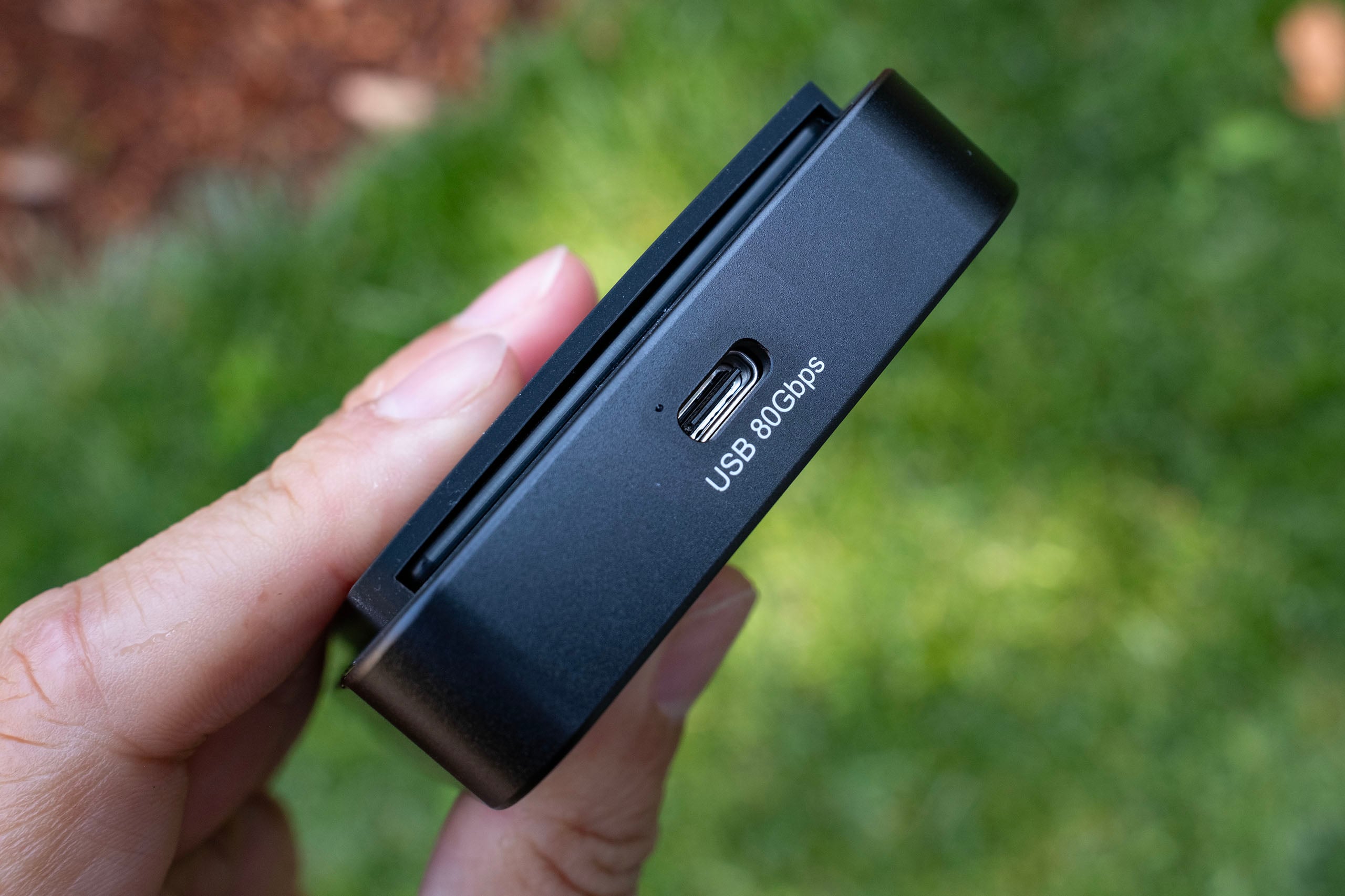
Glyph said the goal was to be able to ship the SSD and track its progress as well as make sure that if it were misplaced, it could be found with relative ease.
I was hoping that this tracker would be built-in to the SSD so that it would charge any time I plugged it in to use it, making it so I would effectively never have to think about it, but it unfortunately doesn’t work that way. Glyph says that the battery should last a couple of years, and if the battery starts to die, you can charge it with any Qi charger. You can remove it from the little pocket, and that will show you a red charging LED, but you can also just keep it in place, and it will charge through the silicone as well (I checked). While not the perfect integration that I imagined, it works well. I can always monitor the battery’s current charge through FindMy.
Oh, and if you are in the same room as the EX80 but can’t find it, you can also make it play a noise, which is quite loud, to help narrow down its exact location.
I think it’s important to give Glyph a ton of credit for this feature. Not only does it give me some peace of mind that I won’t forget my SSD behind when I’m traveling, but it also makes a huge difference for those who ship projects to clients. It is not uncommon for production studios to mail SSDs across the country because it’s much faster than uploading to a cloud account, and being able to keep track of that shipment and confirm when it reaches its destination is a gigantic value-add.
Glyph Atom EX80 Review: Performance
The Atom EX80 is just the second SSD we’ve tested that uses the higher-spec 80 Gbps cable, which is akin to Thunderbolt 5 and has double the throughput of Thunderbolt 4 and the previous top-tier USB-4 cables. Support for the maximum speeds of these devices is more limited, as it’s a newer technology, but it remains backward compatible (which is why it will work with your iPhone). The EX80 is also compatible with Thunderbolt 5, 4, and 3, too. So even if you don’t get the max speed these are capable, you will when you upgrade your computer next and in the meantime, you’ll continue to get the most out of whatever USB-C port you are currently using.
But when you do connect it to a compatible device, like Apple’s latest MacBook Pro with M5 Max, then you see some extremely fast speeds.
PetaPixel’s SSD testing involves checking the speed of the SSD right out of the box, then filling the SSD to capacity and immediately checking the speed again. Finally, the drive is formatted, and the speed is checked a third time. What this test does is not only measure if an SSD can properly manage its heat (because filling a multi-terabyte drive generates a ton of it), but also if the onboard controller is able to properly maintain performance even when the drive has data written to it and deleted from it.
Starting with the Glyph Atom EX80, PetaPixel will not only be running speed tests through Blackmagic Disk Speed Test but also through Crystal Disk Mark (also known as Amorphous Disk Mark) to show even more information about how the drive performed.
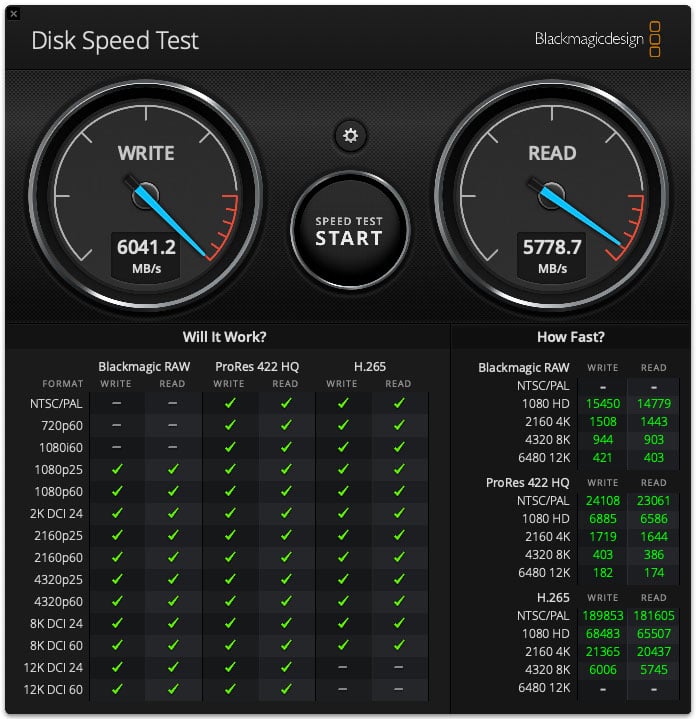
First up is Blackmagic Disk Speed Test, which showed a very consistent level of performance throughout. Brand-new, it registered 6,041.2 MB/s write and 5,778.7 read speeds. Full, it maintained within a margin of error with 5,799.6 MB/s write and 5,936.9 MB/s read. Finally, once emptied again, it tested at 5,947.1 MB/s write and 5,773.5 MB/s read speeds.
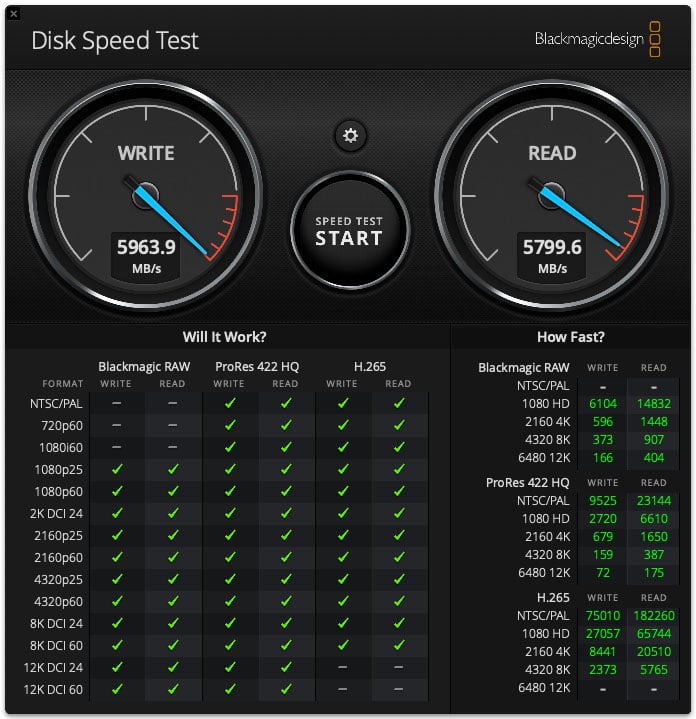
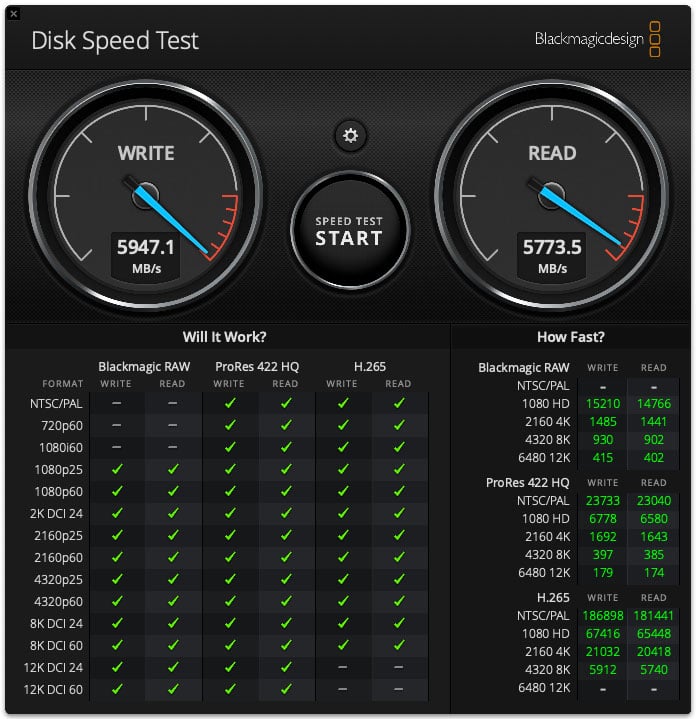
Next, let’s take a look at the results from Crystal Disk Mark, which is better for evaluating sustained performance and not just the peak performance we see from Blackmagic. It’s worth noting that the bottom two lines, the random access speeds, are more important for devices like an SSD than they are for, say, a memory card, as these are used more for long-term storage as well as active transferring of data. The RND4K QD64 numbers are good, coming in at about what is expected for a drive of this caliber.
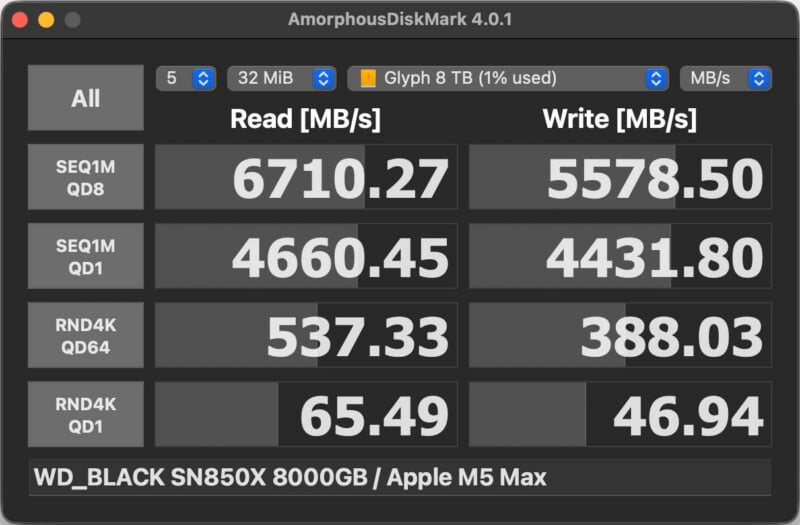
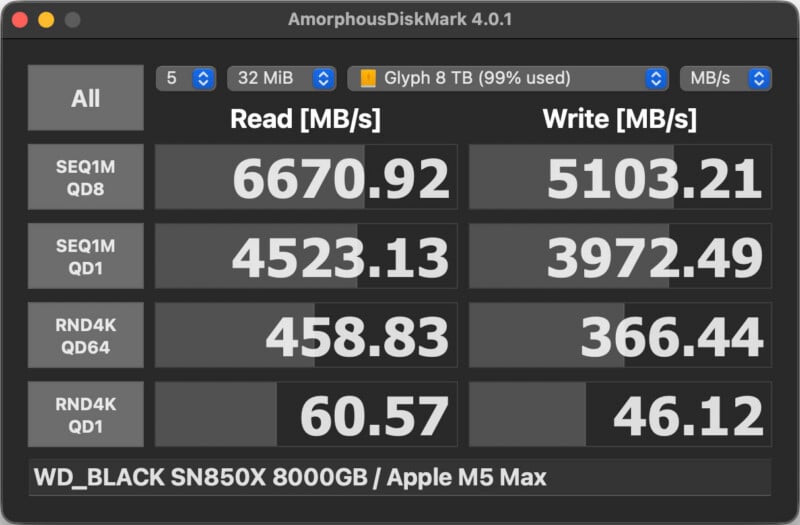
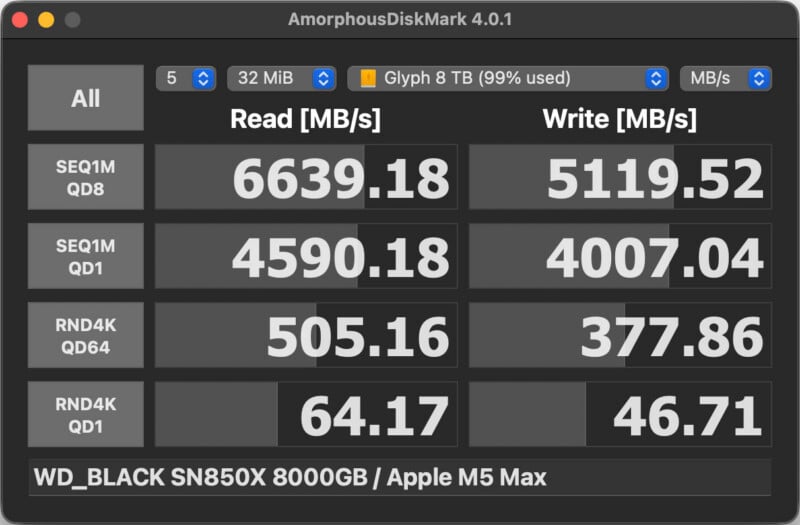
In summary, this isn’t the fastest SSD we’ve tested, but it’s close and manages to avoid the issues we saw in the Oyen: SLC cache exhaustion. While the Oyen is faster, it can result in a temporary dip in performance as its cache fills. Oyen says that this behavior is more evident in the 80Gbps/TB5 class, where the cached speed is so high there’s further to fall, but we didn’t see this in our EX80 test — speeds were consistent no matter what or when, or how much abuse we put the drive under.
I can’t say what exactly Glyph is doing differently than Oyen here, but I will say that I appreciate that performance was rock solid and will give props to the company that made it happen.
One final note to discuss is heat generation, because moving terabytes of data around tends to make a lot of it. I’m happy to report that while the EX80 did get warm to the touch, it never felt particularly hot. I also didn’t notice any kind of thermal throttling, so Glyph’s promise of an “increased thermal ceiling” appears legit.
If there is anywhere to look for some improvement, it is going to be in the “rugged” category. While the EX80 is protected from shock, vibration, and dust, it doesn’t carry an IP rating and has no protection from water. I have spilled coffee on my desk enough times to know this is a real issue, and I would like to see Glyph consider some level of water resistance in the future.
The Glyph Atom EX80 Is Rugged and Reliable, With Bonus Features
I find myself particularly impressed with the bonus features that Glyph put into this SSD. The magnet is really nice, and it’s great that it works with an iPhone as much as it does a refrigerator (Glyph could have just chosen the latter and called it a day). I also greatly appreciate the built-in tracker, which has a lot of utility both to bring me peace of mind and for keeping shippers honest when sending data cross-country.
That’s all before getting to the excellent performance. It’s very fast, and while it’s not the absolute fastest we have tested, it is incredibly stable and consistent — that’s arguably more important when we’re already dealing with transfer speeds north of 5,000 MB/s.
When all memory is expensive, I think it’s important to give credit to a brand that’s really trying to address actual problems and use cases exhibited by photographers and filmmakers. Yeah, we can all use storage, but this storage just feels like it’s meant to specifically work for us.
Are There Alternatives?
There are a lot of storage options out there, and even though it regularly scores the lowest on our speed tests, folks continue to buy the Samsung Shield series (T7 and T9 both). I don’t consider these viable alternatives, since you can’t edit video off them and photo libraries will load painfully slowly, but I’m sure many photographers still choose to use them.
If you care about speed, then Oyen’s U35 Bolt+, OWC’s Envoy Ultra, and ProGrade Digital’s PG10 are probably the best possible alternatives. You can also consider Glyph’s EX40, which isn’t as fast since it only uses the 40 Gbps connection, but is still a very reliable SSD.
Should You Buy It?
Yes. The Glyph Atom EX80 is one of the fastest SSDs on the market and comes with bonus features you won’t find in any other device, all without cutting corners.
Full disclosureGlyph is a sponsor of the PetaPixel YouTube channel. However, it has no input on editorial content and all opinions shared are those of PetaPixel.
Affiliate Disclosure PetaPixel articles may include affiliate links; we may earn a commission if you buy through one.