Poco F9 Ultra Hands-On: A Photographer’s Take on Poco’s 200MP Flagship Phone
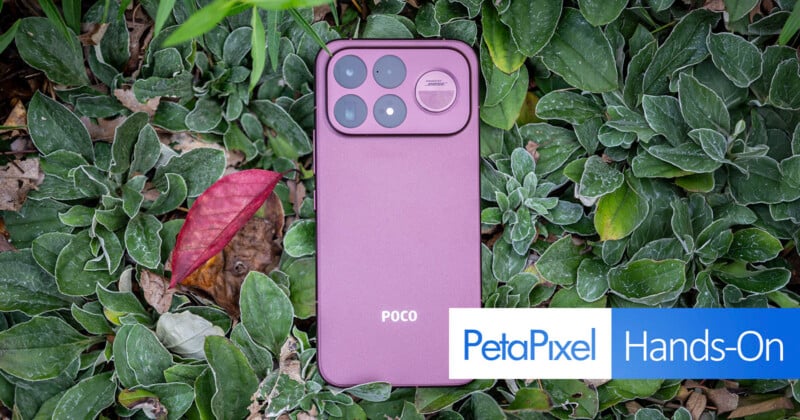
I put the Poco F9 Ultra through its paces as a photographer, testing its 200-megapixel main camera, 5x periscope telephoto, and ultra-wide camera in real-world shooting.
I got the Poco F9 Ultra in Dark Cherry with 16GB of RAM and 1TB of storage. Rather than focusing solely on its specifications, I wanted to see how the camera system, zoom range, controls, and overall shooting experience fit into the way I actually photograph.
Full disclosureI actually won the Poco F9 Ultra in a competition. So while I was sent the device for free, I was not sent a unit specifically for review. Poco had no knowledge or expectation of any coverage and had zero input on this article.
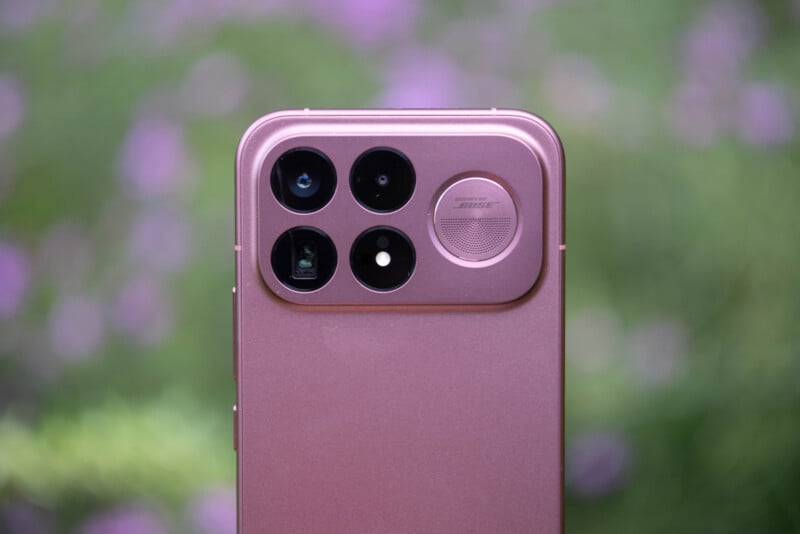
The F9 Ultra is clearly built around performance, with gaming playing a major role in the phone’s design. Photography is also a more prominent part of the package this generation, with a 200-megapixel main camera with optical image stabilization, a 50-megapixel ultra-wide camera, and a 5x periscope telephoto. That combination gives the phone a useful range of perspectives, particularly for subjects that are difficult to approach.
As someone who regularly photographs wildlife, landscapes, and travel, I was most interested in how those cameras translate to actual shooting. Over my time with the phone, I paid attention to image quality, how easily I could move between focal lengths, and whether the F9 Ultra feels like a capable camera when I don’t have my dedicated gear with me.
A Camera System Built Around More Than the Main Sensor
The headline feature of the F9 Ultra’s camera system is its 200-megapixel main camera. A resolution number that large is certainly attention-grabbing, but megapixels alone don’t determine how useful a smartphone camera is. What matters more to me is whether the sensor’s extra information gives me meaningful flexibility when composing and editing photos.
Beyond the standard photo and video modes, the camera app includes a wide range of additional shooting options, including panorama, portrait, night, slow motion, time-lapse, and dual video capture. The app also offers several other creative and specialized modes that give you more ways to use the cameras, depending on what you are photographing or recording. Dual video capture is particularly useful for travel and behind-the-scenes content, as it lets you record with both the front selfie camera and the rear main camera at the same time, rather than choosing a single perspective.
The camera also includes optical image stabilization, which can be helpful when shooting handheld in less-than-ideal light. For photographers accustomed to working with dedicated cameras, that extra stability can make the difference between getting a usable image and having to accept motion blur or reach for a tripod.
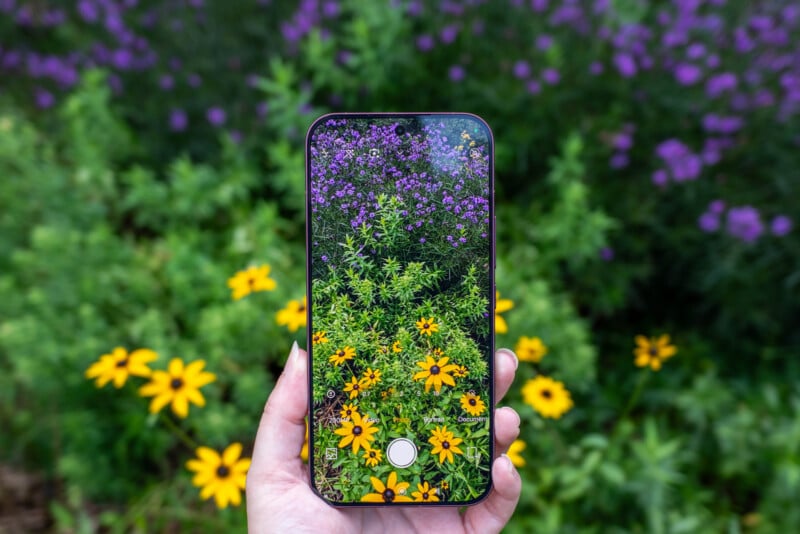
The main camera is complemented by a 50-megapixel ultra-wide and a dedicated 5x periscope telephoto. Having separate cameras for these perspectives makes the system considerably more versatile than a phone that relies primarily on a single wide-angle camera and computational zoom.
For the photography I tend to do, the telephoto is particularly useful. Wildlife, landscapes, travel details, and distant subjects can all benefit from a longer focal length, and having one built into the phone means I can change perspective without physically moving closer or carrying another lens.
The 5x Periscope Is the Camera I Keep Coming Back To
Of the three rear cameras, the 5x periscope telephoto probably stands out most to me.
Smartphone manufacturers have increasingly turned to computational photography to simulate longer focal lengths, but dedicated telephoto hardware still changes how I approach a scene. Starting at 5x makes it easier to frame distant subjects intentionally rather than treating zoom as an afterthought.
Poco also offers 10x lossless zoom and up to 20x AI Ultra Zoom. I wouldn’t consider either equivalent to using a dedicated long lens on a mirrorless camera, especially when image quality is critical. Instead, I see those extended ranges as useful options when getting physically closer isn’t possible.
That distinction is important for photographers. The F9 Ultra isn’t replacing my dedicated telephoto, especially when I’m heading out specifically to photograph wildlife. It does, though, offer another option for travel, hiking, sightseeing, and everyday shooting when bringing a larger camera system isn’t practical.

200MP Gives Photographers Room to Crop
The 200-megapixel shooting mode is another feature that caught my attention, though I don’t see it as something you need to use for every photograph.
For photographers, the appeal is the additional resolution available when an image needs to be cropped or reframed. If a subject occupies only part of the frame, having more pixels to work with can add flexibility after the photograph is taken.
There are practical trade-offs, of course. Larger files require more storage and can take longer to process, although that is less of a concern with the 1TB version of the phone I have.
That storage capacity is useful beyond the camera itself. Photographers can quickly accumulate photos, videos, editing apps, and other files, especially when a phone becomes part of an everyday image workflow. With 1TB available, I have much more room to work with before storage becomes something I need to manage actively.
A Phone That Can Handle a Photographer’s Workflow
For me, a phone’s usefulness for photography extends beyond the camera app. It is also where I review images, make quick edits, share photographs, back up files, and handle other parts of my workflow while traveling.
The F9 Ultra’s 16GB of RAM and 1TB of storage make it well suited to that kind of use. It is powered by Qualcomm’s Snapdragon 8 Elite Gen 5 Mobile Platform and includes Poco’s dedicated VisionBoost D8 chipset, although those components are primarily positioned around gaming and graphics performance.
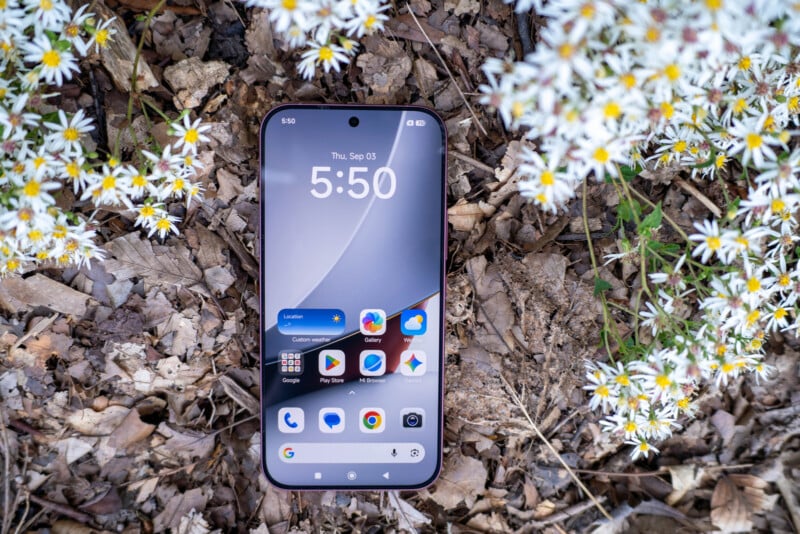
For photography, I care less about benchmark numbers than about how quickly the phone handles image-heavy tasks and apps. The large display is also useful when reviewing photographs because there is more screen real estate for examining details and judging a composition.
The 6.9-inch AMOLED display has a resolution of 2,608 by 1,200 pixels and a refresh rate of up to 185Hz. The extremely high refresh rate is primarily aimed at gaming, but the display itself has obvious benefits for photography. Images appear detailed and vibrant, and the larger screen makes it easier to inspect photographs while traveling.
I would still be cautious about using any smartphone display as the final reference for color-critical editing. A bright, high-contrast screen can make an image look impressive without necessarily providing the same level of accuracy as a properly calibrated monitor.
The Dark Cherry Finish Stands Out
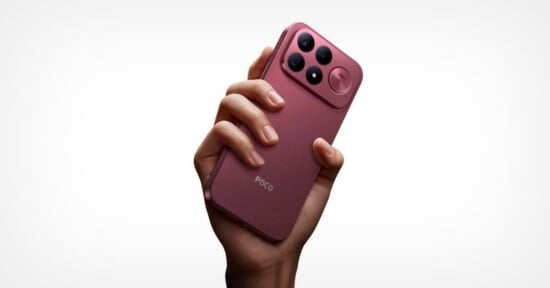
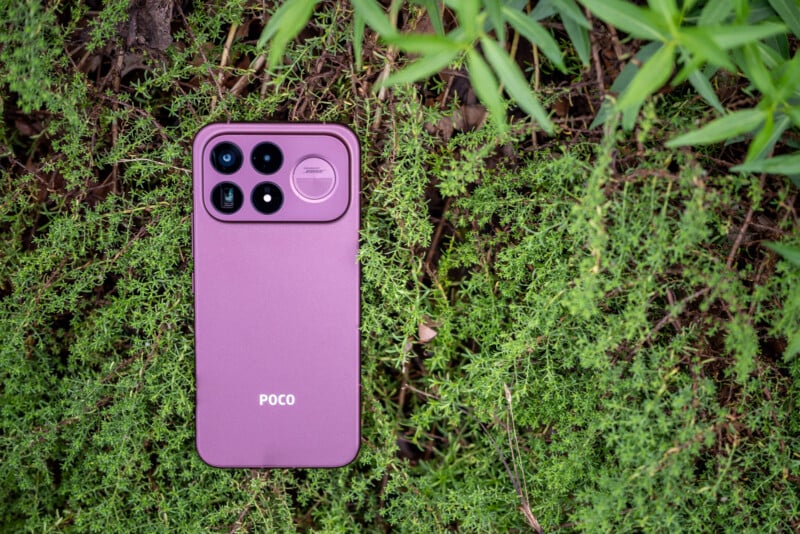
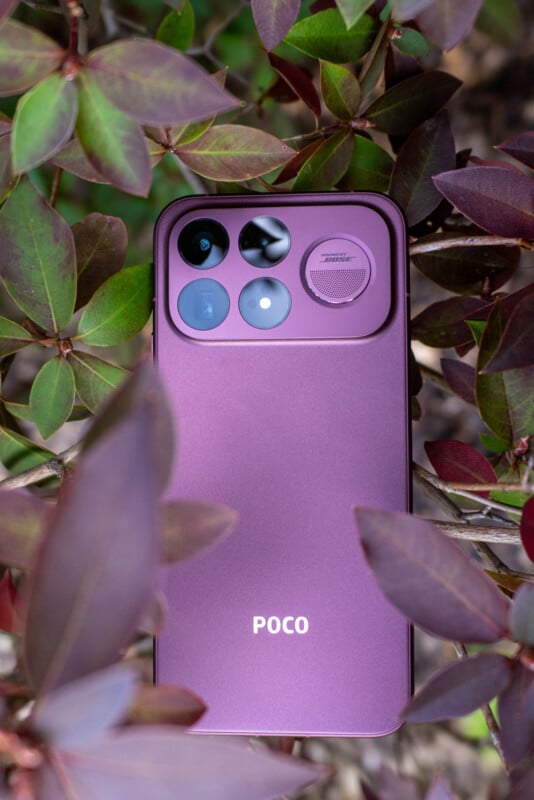
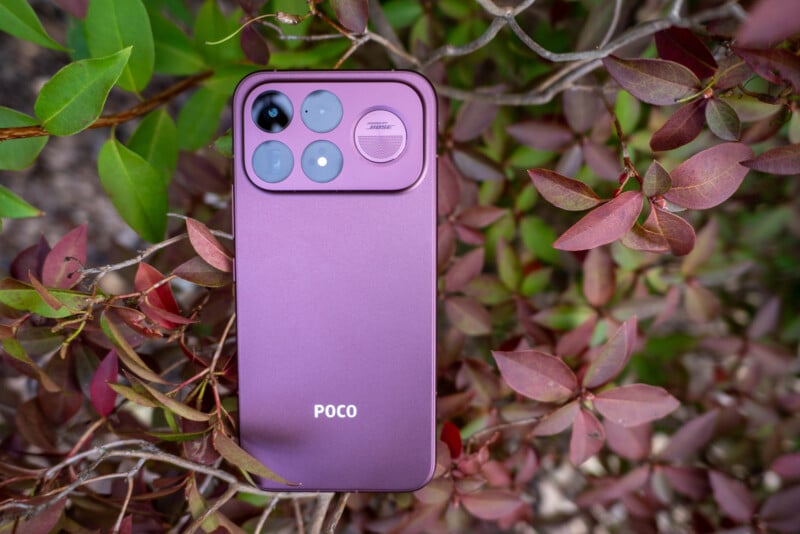
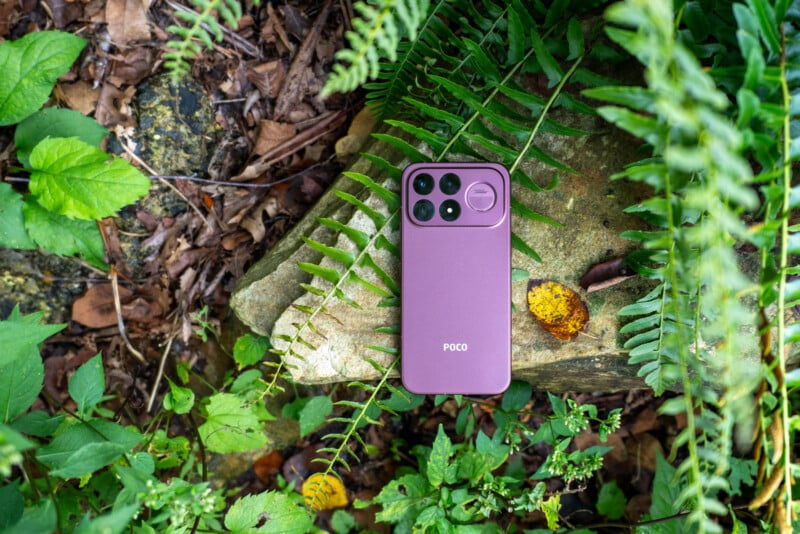
The F9 Ultra Poco I received is the Dark Cherry version, and it is one of the more distinctive smartphone finishes I’ve used recently.
The dark red finish changes somewhat depending on the light, giving the phone more visual character than the increasingly common black, silver, and neutral finishes. It remains fairly understated while still standing out when compared with a typical smartphone.
The rear also features Poco’s dynamic lighting system around the camera area. It can display different effects for notifications, calls, games, and music. It doesn’t directly affect photography, but it is an interesting design element that gives the phone a recognizable look.
Battery Life Matters When You’re Shooting All Day
Battery life is easy to overlook when talking about smartphone photography, but it matters more when you use the phone all day for travel or shooting.
The F9 Ultra has an 8,050mAh typical-capacity battery, which is unusually large for a smartphone. Poco says it uses 16 percent silicon-carbon content to increase energy density and claims up to two days of battery life under its internal testing conditions.
The phone also supports 100W wired charging and 50W wireless charging, along with reverse charging for compatible devices. That combination gives photographers several ways to keep the phone running during longer days away from an outlet.
For travel in particular, fast charging can be more useful than simply having a large battery. Being able to charge the phone for a short period between locations can make it easier to keep shooting, navigating, editing, and communicating throughout the day.




Where the F9 Ultra Fits Into My Camera Bag
I don’t see the Poco F9 Ultra as a replacement for a dedicated camera. A smartphone simply doesn’t offer the same sensor sizes, physical lenses, manual controls, or overall imaging flexibility as a mirrorless camera, and that isn’t really what I expect from it.
Instead, I see the F9 Ultra as another tool that can complement a dedicated camera system.



For travel and everyday photography, having a 5x telephoto, high-resolution main camera, and ultra-wide camera already in my pocket is genuinely useful. Plenty of situations don’t make carrying a larger camera practical, or I simply want to photograph something without turning the moment into a full photography session.
The telephoto is particularly compelling in that context. A dedicated 5x camera gives the phone a much more useful role for photographers than a smartphone that is primarily limited to wide-angle perspectives. I used it while hiking and kayaking to capture birds that would have flown away if I’d approached closer.



200MP Gives Photographers Room to Crop
The F9 Ultra’s camera system uses a 12.5-megapixel output by default, which is generally where I found myself photographing most of the time as I like to use the “full” aspect ratio setting. If you want to step up to the 50-megapixel mode, however, the phone changes the aspect ratio to 3:4, which I find frustrating. I prefer a wider composition when I’m photographing, so changing the framing just because I want a higher-resolution file makes the 50-megapixel mode less appealing to me. It is not a major limitation, but it is one of those small interface decisions that can get in the way of composing an image the way I want.
The 200-megapixel mode is a much more interesting feature. Rather than capturing a single 200-megapixel frame from the sensor, the phone appears to capture and stitch multiple images to create a much larger final file, though it is still locked to the 3:4 aspect ratio. You can actually watch the process happen on the screen as the phone builds the image, somewhat like shooting a panoramic image.
That approach makes the 200-megapixel mode particularly interesting for photographers. Sometimes I want more resolution and cropping flexibility but don’t want to carry a larger camera. Being able to create a substantially larger image directly on a phone could be useful for landscapes, architecture, travel, or other situations where I know I may want to crop into the final image later. It won’t replace the resolution and flexibility of a dedicated camera, but as a feature on a phone already in my pocket, I think it is genuinely cool.

Where Smartphone Cameras Fall Short
The F9 Ultra’s cameras have limitations, and I noticed them most clearly in tougher conditions. In good light, I have been particularly impressed by the character of the images. Some of the photographs have an atmospheric, almost pleasing quality that makes them enjoyable to look at without feeling overly processed. It is not necessarily the most technically perfect rendering, but in the right conditions, I like the look the cameras produce.
Lower light is where I think the limitations of the smartphone hardware become more apparent. I noticed a tendency toward warmer, yellower color rendering in most scenes, getting worse as the light got dim, which can sometimes make an image feel less natural than I would prefer. This is especially noticeable when there is a mix of artificial and ambient light, where the overall color can shift considerably warmer.
I also ran into some focusing issues when photographing subjects at close range. At times, the camera struggled, and the phone’s AI processing seemed to compensate for the limitations of the original capture, but the results weren’t always convincing. Fine details could become smeared or rendered in a way that looked unnatural rather than simply soft.
I suspect this is one area where the F9 Ultra illustrates the broader challenge of smartphone photography. As light levels fall or a scene becomes more demanding, a relatively small smartphone sensor and lens system has physical limits on what it can capture. Computational photography can help bridge that gap, but it cannot always replace the information that was never captured in the first place.
That said, in bright light and with a less challenging subject, I found the camera’s close-up sharpness to be quite capable.


Whether these results are a problem ultimately depends on how demanding you are about image quality. Some of the photographs are perfectly usable, particularly for sharing online or documenting a moment. I am more particular about the files I keep, however, and there were instances where the processing crossed the line from helpful to distracting for me. That makes the F9 Ultra a camera I would be comfortable relying on when I want the convenience of a phone, but not one I would choose over my dedicated camera when image quality is the priority.
Overall, though, the F9 Ultra makes a stronger case for itself as a photography tool than I initially expected. The combination of multiple dedicated cameras, a 5x periscope telephoto, a high-resolution main sensor, a large display, substantial storage, and a large battery gives photographers a lot of flexibility without requiring another piece of gear.
It is not a replacement for a dedicated camera, but that was never really the point. What stood out to me is how much photographic flexibility the F9 Ultra puts into a device I already carry everywhere. For travel, everyday photography, and those situations where bringing a larger camera is impractical, I can see myself reaching for it simply because it gives me more options than a typical smartphone camera.
Pricing and Availability
The Poco F9 Ultra is available in three configurations. The 12GB RAM and 256GB storage model is priced at $799, with early-bird pricing starting at $729. The 16GB RAM and 512GB storage version costs $949, with early-bird pricing starting at $799. The top-end model with 16GB of RAM and 1TB of storage costs $1,199, with early-bird pricing starting at $1,059.
European pricing starts at €1,099.90 for the 12GB/256GB model, €1,199.90 for 16GB/512GB, and €1,399.90 for 16GB/1TB. Early-bird pricing lowers those prices to €829.90, €899.90, and €1,199.90, respectively. The F9 Ultra is available in Dark Cherry and Black.
For U.S. buyers, however, the fact that the F9 Ultra is a global-market phone does not mean it has an official U.S. retail launch. Poco’s global availability varies by market, with the company directing buyers to local sales channels. Unless Poco announces a dedicated U.S. sales channel, American buyers will generally be looking at an imported global version of the phone.
That also means there are some additional considerations beyond the purchase price. Supported cellular bands, carrier certification, VoLTE support, eSIM availability, and regional software differences can all affect how an imported phone works in the U.S. A phone supporting a carrier’s frequency bands does not necessarily mean the carrier will fully support or certify the device, so buyers should check compatibility with their specific carrier before importing one.
Image creditsPhotographs by Kate Garibaldi