8 Ways Hasselblad Can Make the 907x CFV 100C Way Better
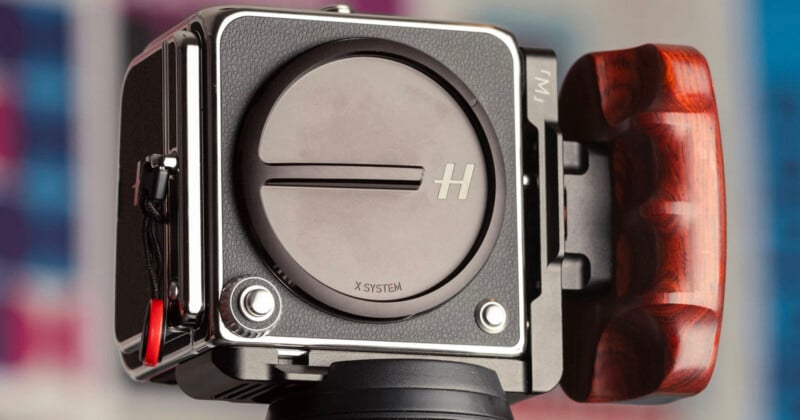
Hasselblad cameras’ excellence comes from decades of engineering, and that results in a polished product built with the best of the best in mind. Everything is good: the grip and body are built to last, the optical quality is better than Leica. The color science? Unmatched. The interface and menus are simple and straight to the point, the mobile app (Phocus 2) is the best I’ve seen (and I’m comparing with the Leica FOTOS, which I thought was the best), the company’s photography heritage is legendary, and it is the camera that mankind brought to the moon for the first time!
But is it perfect? Well, we all know there’s no such thing, right?
Hasselblad has always been known for excellent user experience (UX) standards. Victor Hasselblad and his designs performed product design and UX practices way before it had a name! The V-system is shockingly well-designed, even the way the camera needs to be handheld was thought of.
The V-system offers the perfect film shooting experience. But does this experience still exist today? Does Hasselblad still carry these excellent UX standards in their new product lineage? Are the new Hasselblad cameras, like the digital back and the X2D II, still on that high bar?
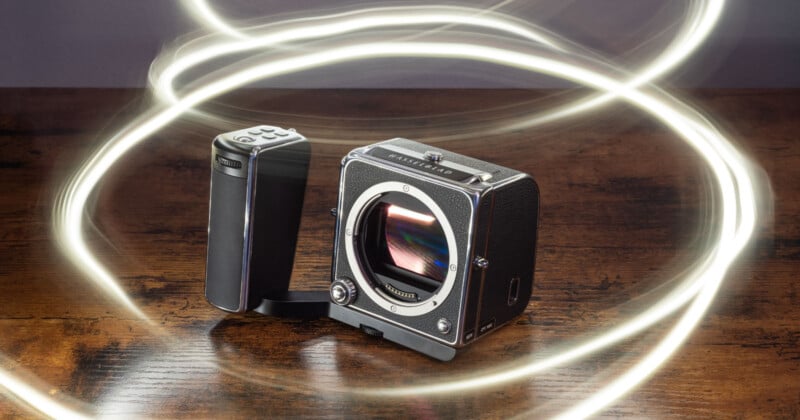
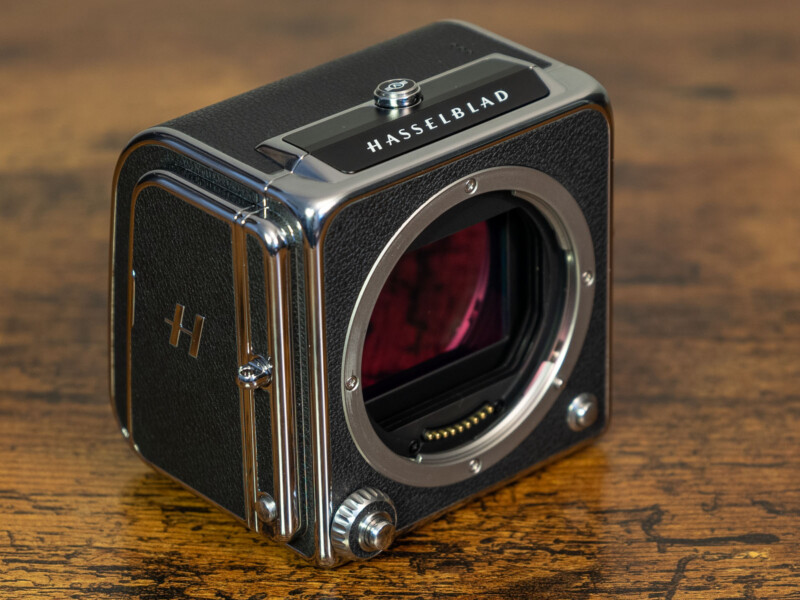
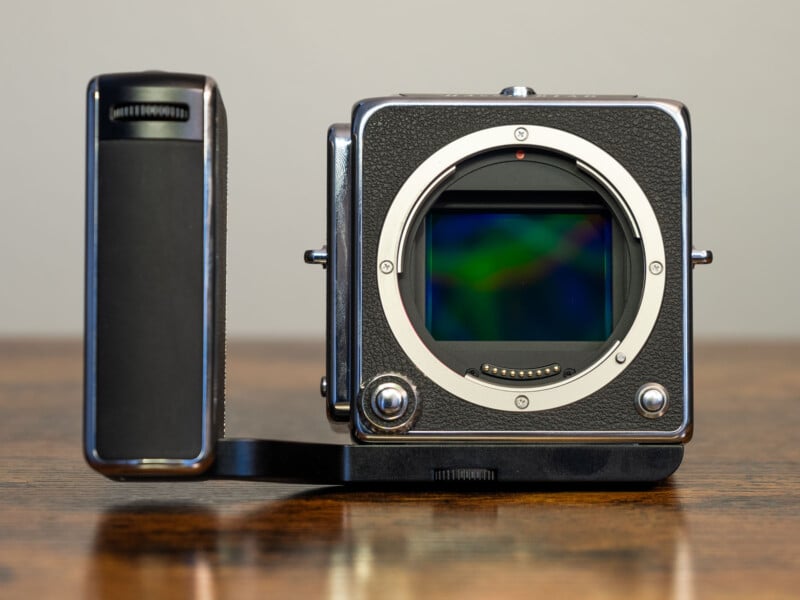
I recently got a 907x camera and a digital back (well, the digital back is the camera, the 907x is just an interface that connects the lens to it). That said, the considerations I will make in this post are mostly regarding the digital back and the 907x, but some of them might be applicable to the X2D system as well.
Over a month using it extensively, I built a list of things that Hasselblad can do better, a list that would make the 907x and the CFV 100C perfect (at least to my taste). I compared with other high-end cameras and their features, like the Leica Q system, the Fuji GFX line, etc., along with decades of experience with my photography, as well as my experience in product design and UX.
I know that probably Hasselblad’s product design team’s rationale was to keep things simple, and I appreciate that. Their cameras are the type of product that does one thing and does it well. That keeps the menus simple, and again, I appreciate it a lot, but some further customization and details could be added to make the cameras more to the photographer’s taste.
1. 907x Rotary Dial Customization
By far, this is the biggest nonsense in the 907x system, and it almost looks deliberate that Hasselblad doesn’t care.
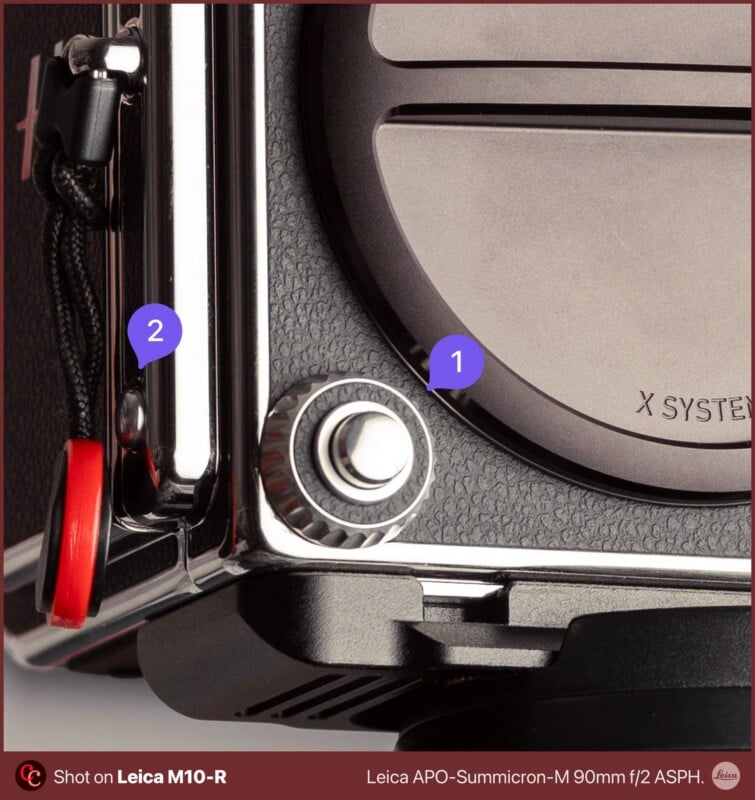
The 907x body has a rotary dial around the shutter button (1). That rotary dial changes the aperture when you operate the camera in Aperture Priority mode, or changes the shutter speed when the camera is on Shutter Priority mode.
But when the camera is set to manual mode, the rotary dial changes the aperture and that’s it, and if you want to change the shutter speed, you have to operate it while holding a Fn button (2) on the right side of the camera.
This operation is slow and uncomfortable. This Fn (2) button should at least operate in “Toggle” mode, not “Hold”, meaning that you press it to alternate between the fixed functions of what the rotary dial does, because pressing a button and rotating a dial at the same time is just nuts.
If at least it changed the shutter speed by default, I could use the lens aperture ring (available on select XCD lenses [the most expensive ones only]) and have two tactile functions to change in parallel.
In addition, the user should be able to override what they want to do with the rotary dial in terms of clockwise/counterclockwise operation. This is currently not possible.
Big potential UX improvement with the rotary dial.
2. Haptic feedback (or beep) when horizontal
Hasselblad cameras are known for landscape photography due to their accuracy with perfectly aligning the camera for shots.
Even when using the V-system and going full analog, you can have the option of having a crosshair on the focusing screen, to make sure the scene is perfectly aligned to whatever you want (horizon, sea level, antenna on top of building, etc.).
Their digital cameras offer something called “Spirit Level”, which is basically an electronic accelerometer that gives you a reading when the camera is leveled.
Turns out that when you are using the camera out in the sun, you can barely see the details on the LCD screen to check the electronic bubble level. If the camera had a feature to beep when it’s perfectly horizontal or vertical, it would be very sweet and make the life of landscape (or architecture) photographers a lot easier.
I think Apple does that with their camera app — when you have it fully horizontal, it gives you haptic feedback. It doesn’t hurt, hardware is already there.
3. Instant leaf shutter upon XCD lens connect
The shutter on XCD lenses (and when using them with the V-system) is not in the camera body, but in the lens. They all feature a leaf shutter, which stays closed until it’s shot time (as any other mechanical shutter).
Sometimes, we want to use the Electronic Shutter in the camera, and that comes with consequences, some bad ones.
(spoiler: the electronic shutter sucks and has INSANE AMOUNTS of rolling shutter)
The camera firmware should default to the lens’ leaf shutter when an XCD lens is attached. The user should opt-in for that feature. That would be neat.
I use the electronic shutter when I want to use my Leica lenses with adapters.
4. Customization of aperture ring direction
This one is very basic. The camera should allow the user to override the direction of what the aperture ring does. I would like to have the option to configure this in order to match the lens I am used to operating.
5. Customization of focus ring for P lenses
P lenses are the ones that only have one ring on them, and this ring controls the manual focus. That’s it.
I was shocked when I got a P lens and realized that I can’t rebind that ring on the lens to operate as the aperture ring, swapping what the ring does via software in the camera.
C’mon, these lenses are all “fly by wire”, they are electronic, this rebind is obviously possible, it’s not like the lens ring is mechanically attached to helicoids or anything.
Let us have multiple controls! Shutter speed on the rotary dial, and aperture on the P lenses!
6. No lossless compression on RAW files
This one wouldn’t hurt. There are lossless compression algorithms that reduce file size without compromise. At the mark of 200 MB per RAW file with no compression, this requires the user to rethink the way storage is managed.
I know that medium format cameras aren’t for spraying and praying, I know. But here’s something Hasselblad didn’t think of when designing the CFV 100C digital back: it doesn’t have IBIS, and by not having IBIS, photos might get camera shake. To eliminate that, guess what photographers do? They take 2, 3, 4 photos, to then select the least shaken one: that’s a Gigabyte right there…
A lossless compression feature wouldn’t hurt, to reduce file size a little bit and help. They have HEIF as an option (at least in the CFV 100C), but I’m unsure about the quality of these.
7. Gyro AF lock
The Leica Q system showed me something I got fascinated by, something incredible. It’s the gyro AF lock. A feature that I’ve only seen in the Leica Q cameras, and nowhere else.
It works like this: when you set a focus point and rearrange your angle to compose the shot, the camera uses the gyro information to make the focus point move to the point you locked.
The Hasselblad has a gyro in it, that’s how the virtual bubble level (or Spirit Level, as they call it) works. Nothing in terms of hardware stops them from implementing this gyro AF lock functionality, so we don’t need to touch the LCD screen (or operate focus joysticks) all the time between shots.
8. Poor LCD control
When using the CFV digital back with a V-system camera, the screen pops up with a photo preview for each shot. I would really enjoy a way to turn that off and enjoy a full LCD-less experience when shooting with my vintage equipment — screen all black.
Also, the controls under the “Display” settings on the menu are ridiculously poor, like, all you can choose is Brightness, VRR (variable refresh rate), and overexposure warning. When you plug in the 907X, it gives you the option of disabling preview, but not when the back is used with a 500 system.
We don’t need a “Sony level” complexity here, but some more options like being able to shut off post-shot preview would be highly appreciated.

Again, I know Hasselblad kept things simple, otherwise it becomes a Fujifilm menu, which requires entire dedicated YouTube channels (like Pal2Tech) just to explain where to find things. I know their intent is to make things simple and let photographers focus on photography and nothing else. I understand that, but I believe that all these small details would add agility to a system that is known for being slow.
Affiliate Disclosure PetaPixel articles may include affiliate links; we may earn a commission if you buy through one.