Imagen’s New Intelligent Studio Aims to Rethink How Photographers Edit
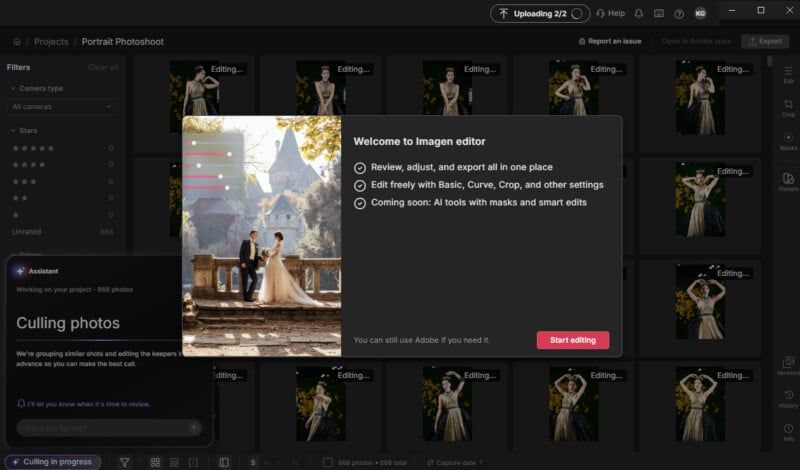
Imagen is changing its approach to AI-powered photo editing with Intelligent Studio, a new post-production workspace that lets photographers cull, edit, and organize a photoshoot in whatever order makes sense for the project.
Imagen’s Intelligent Studio begins rolling out to existing customers today, September 29, bringing a built-in manual editor, AI-powered culling and filters, and a new Assistant that can carry out multi-step editing requests from plain-language instructions. The goal is to move away from the traditional cull-then-edit workflow and give photographers more flexibility in how they work through a shoot.
I have used Imagen before, so I was particularly interested in seeing how Intelligent Studio changes the experience beyond simply adding more AI tools. For me, the biggest question was whether those tools could actually save time on the parts of post-production that tend to slow me down, particularly sorting through similar images and getting color and tones where I want them.
A Post-Production Workflow That Isn’t Locked to One Order
Most photography workflows follow a fairly predictable sequence. Import the images, cull the shoot, edit the keepers, make final adjustments, and finally, export. Intelligent Studio makes that sequence much less rigid.
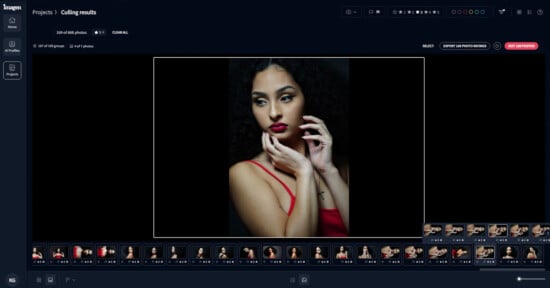
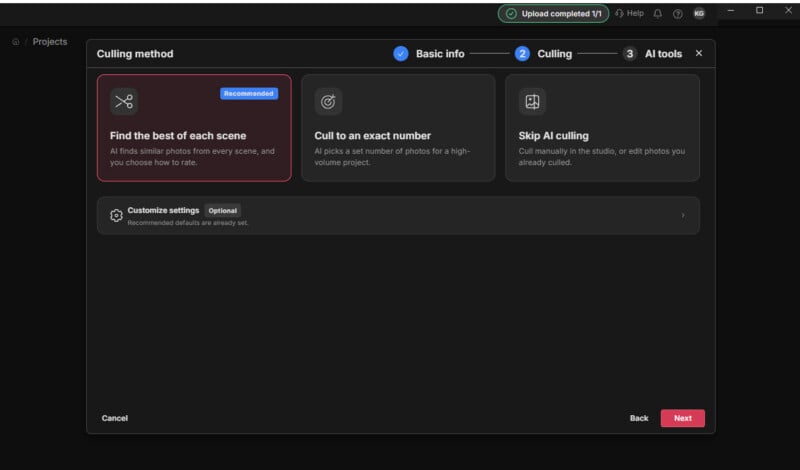
Photographers can cull first, start editing before making a final selection, or move between the two as a project develops. Imagen can also cull and edit in the background as images upload, meaning photographers don’t necessarily have to wait for an entire shoot to finish uploading before starting work.
That flexibility could be especially useful for large shoots with thousands of images. A wedding photographer, for example, could have Imagen begin analyzing a gallery while the rest of the images are still uploading, then return to review the results rather than starting the entire process manually from scratch.
Photographers can also choose not to use Imagen for culling at all. If I have already gone through a shoot myself or prefer to make every selection manually, I can continue doing that while using Imagen’s editing tools separately.
The AI Looks at the Photograph, Not Just the Preset
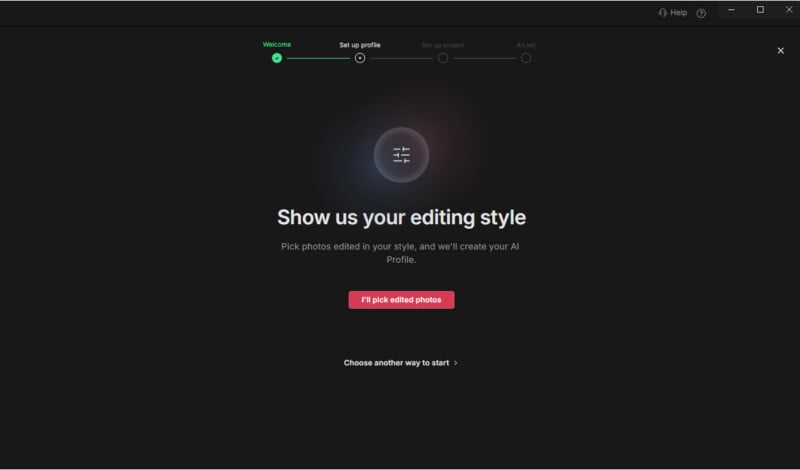
One of the most interesting things I found while testing Imagen is the difference between an AI Profile and a traditional preset. A conventional preset might apply the same collection of adjustments to every image, which can leave you correcting the preset almost as much as you would have edited the original photograph.
Imagen’s profiles are designed to make those decisions based on the individual photograph. The system can recognize differences in lighting and subject matter and adjust the image accordingly while still working toward the characteristics of the selected profile.
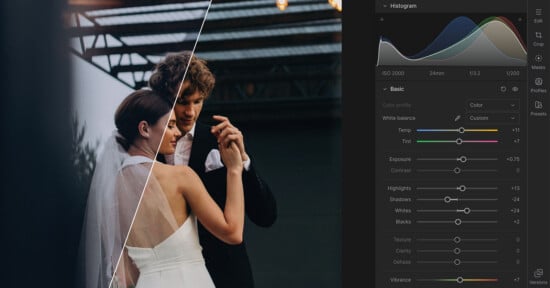
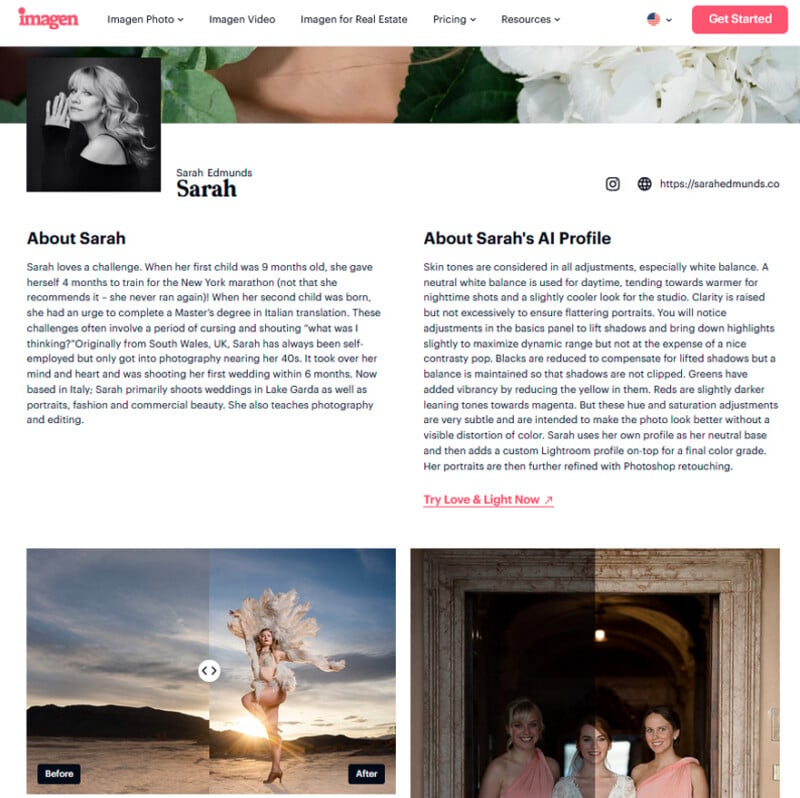
For example, one of the profiles I tested was Sarah Edmunds’s AI Profile “Love & Light.” Its approach considers skin tones throughout the editing process, including white balance. Daytime images are kept relatively neutral, while nighttime photographs can receive a warmer treatment and studio images a slightly cooler one.
The profile also lifts shadows and brings down highlights to preserve dynamic range while maintaining contrast. Clarity is increased, but with the goal of keeping portraits flattering rather than aggressively sharpening them. Its color adjustments are similarly restrained, with greens made more vibrant by reducing yellow, and reds shifted slightly toward magenta.
Imagen says that Sarah Edmunds uses her AI Profile as a neutral base before applying a custom Lightroom profile for her final color grade, followed by Photoshop retouching for portraits. That is a useful reminder that an AI Profile doesn’t have to represent an entire finished workflow. Instead, it can provide a consistent starting point that the photographer continues to refine.
The Editor Comes Directly to Imagen
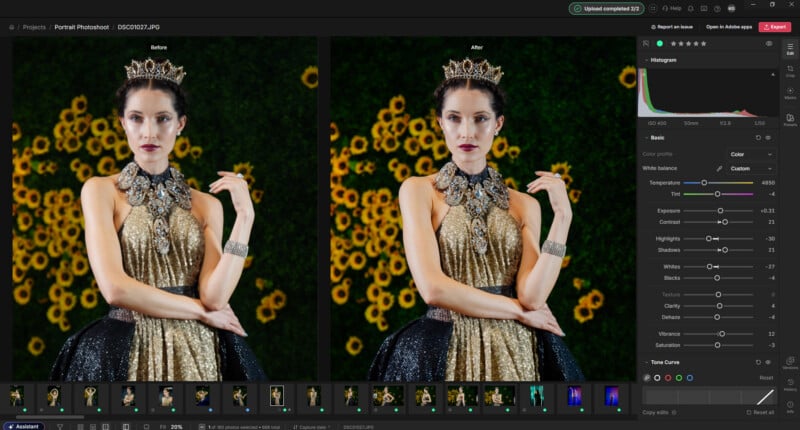
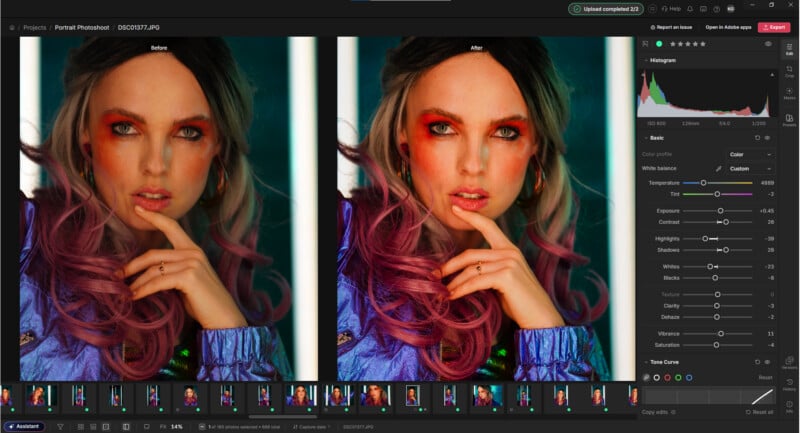
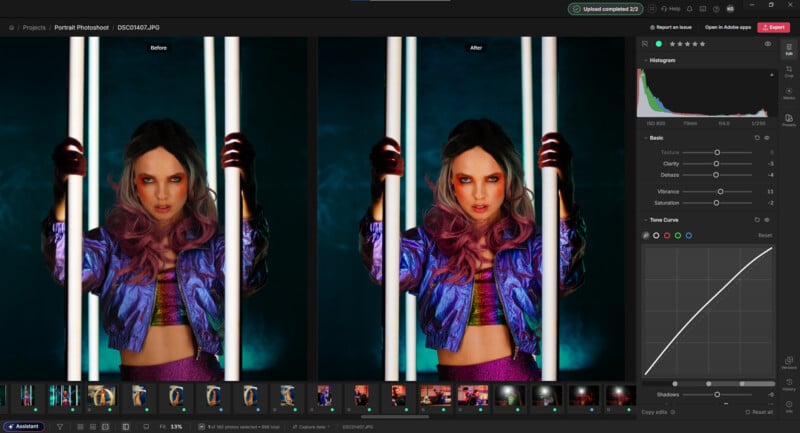
One of the biggest changes in Intelligent Studio is that Imagen now includes a full manual editor, so photographers don’t have to move to another application for every adjustment.
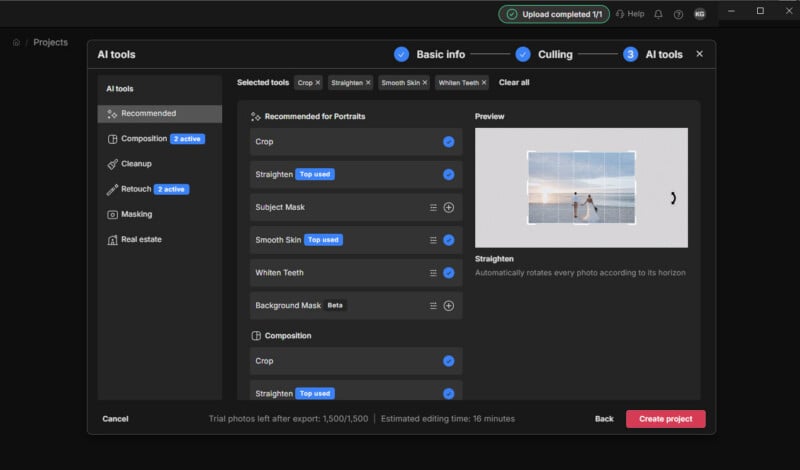
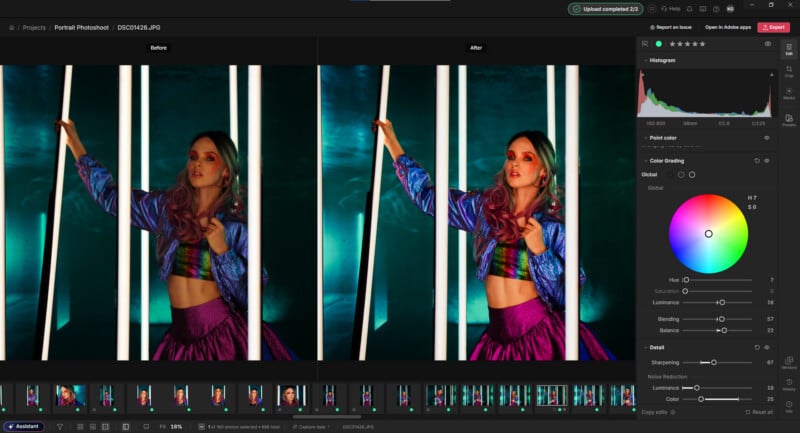
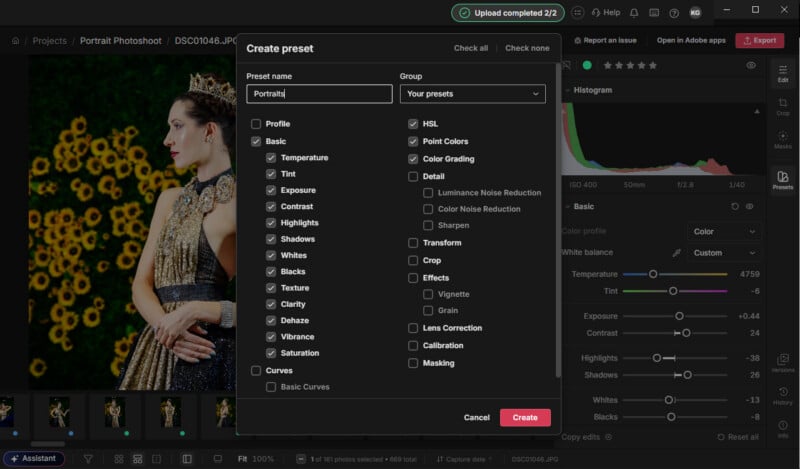
The editor includes the controls photographers would expect from a dedicated editing application, including white balance, exposure, contrast, highlights, shadows, texture, clarity, vibrance, and saturation. It also includes RGB and parametric curves, HSL controls, point color adjustments, color grading, sharpening, noise reduction, lens corrections, geometry adjustments, vignette, film grain, and calibration controls.
Crop and straighten tools are included, along with the ability to use AI Profiles directly within an edit. Photographers can also run AI tools on individual images or selections, create manual masks, adjust masks generated by Imagen’s AI, and save collections of adjustments as reusable presets.
That makes Intelligent Studio considerably more than a place to run an AI culling or editing process and then send the results somewhere else. The idea is to keep more of the post-production workflow in one place.
Intelligent Studio also supports JPEG, TIFF, and RAW files, with exports available as JPEG, PNG, or TIFF in sRGB, Adobe RGB, or ProPhoto RGB color spaces.
The Assistant Turns Instructions Into Actions
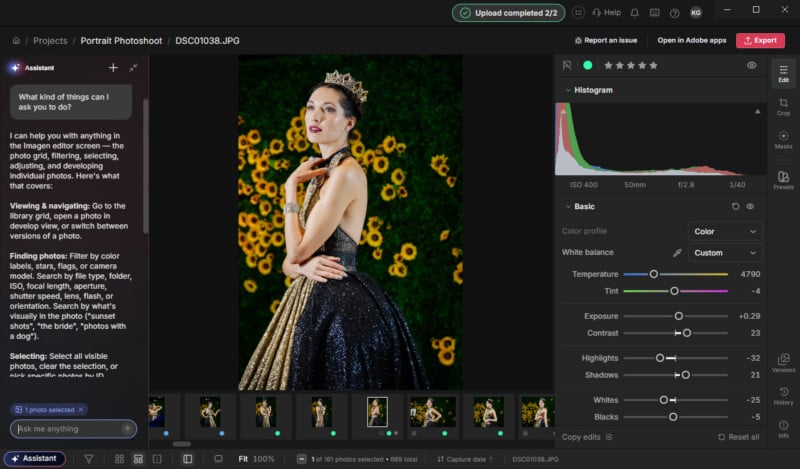
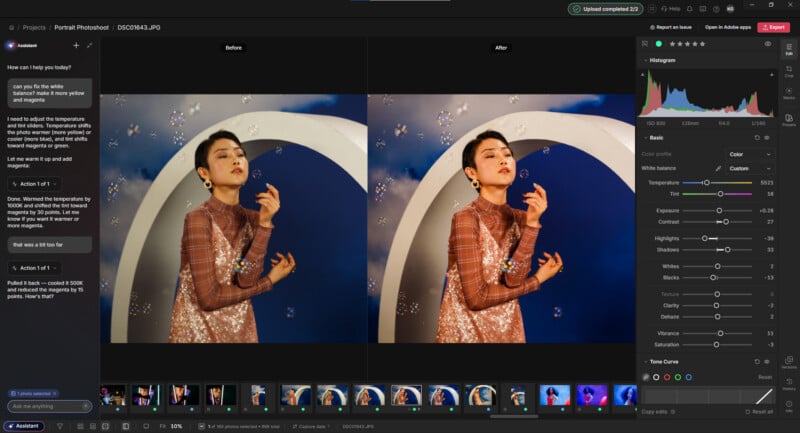
Another new part of Intelligent Studio is the Assistant, which uses plain-language instructions to carry out multiple steps.
Instead of manually finding a group of images, selecting them, applying an adjustment, and preparing the results for review, a photographer can describe what they want the system to do.
For example, a photographer could ask Imagen to warm up everything shot with a particular lens, match the look of one photograph across a getting-ready sequence, increase contrast and reduce exposure on yellow-labeled images, or create duplicate versions of selected photographs with a black-and-white base.
The Assistant can also use information already associated with the photographs, including lens, camera, ISO, capture time, star ratings, flags, and color labels. That gives the instructions more context than simply telling an AI to edit an image.
Another useful function is the ability to take a manual correction made to one photograph and apply that specific adjustment to a batch of other images. Instead of turning the correction into a fixed preset, the Assistant carries the adjustment across while allowing each photograph to retain its own starting point.
AI Filters Help Find the Images That Matter
Imagen is also adding AI Filters that can automatically surface photographs based on people and moments within a shoot.
For weddings, the system can currently identify moments such as ceremonies, receptions, and portraits, along with visual issues such as closed eyes, blurry or out-of-focus images, and low exposure. These can be combined with more traditional filters such as star ratings, color labels, or camera information.
The wedding focus is important here. Imagen says it plans to support other types of shoots, but its scene-recognition features currently focus on wedding-day moments.
For a large wedding gallery, this could be particularly useful when you need to find a specific group of images without manually tagging everything first. Instead of searching an entire gallery for ceremony photos or portraits, the AI can give you a starting point.

AI Profiles Are at the Center
Intelligent Studio continues to build around Imagen’s AI Profile system. Rather than applying the same generic look to every photograph, an AI Profile reflects how a particular photographer edits.
Photographers can train a profile using their own previously edited work, start with a profile created by a known photographer or one designed for a specific genre, or create one from an imported Lightroom preset. Even a ready-made profile can evolve into a Personal AI Profile as the photographer edits more images with it.
You can also compare profiles, switch between them during a project, or apply them to selected images. That gives photographers more control over a gallery’s starting point, rather than forcing an entire shoot into one preset.
This distinction matters because Imagen’s AI presets aren’t simply filters placed over an image. The system analyzes the photograph and makes editing decisions based on the profile. Those decisions can include exposure, white balance, highlights, shadows, color, and other adjustments rather than simply applying the same fixed settings to every image.
Putting Intelligent Studio to Work
My biggest takeaway from using Intelligent Studio is that I can see where the workflow could genuinely save me time, particularly when working with a large photoshoot. At the same time, there is one significant tradeoff that was also present in my previous experience with Imagen: the AI functions take time to run.
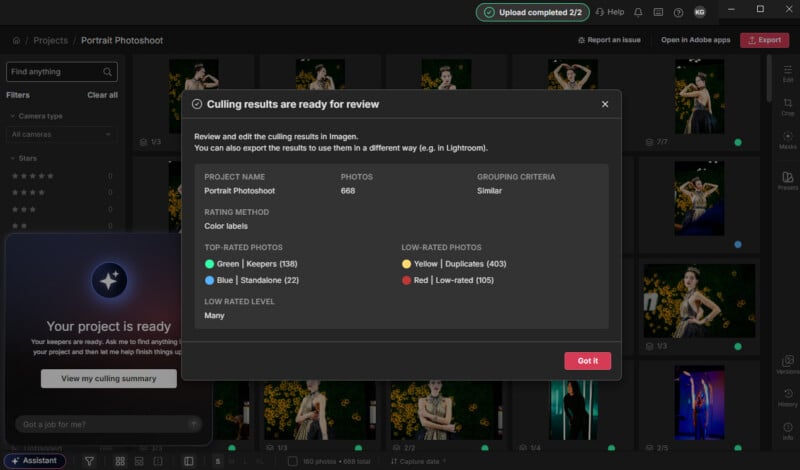
This isn’t an instant process where I click a button and immediately get a finished gallery. Images need to be uploaded and processed, and the AI needs time to analyze them and make its decisions. During my testing, a folder of 668 images took about an hour to run from upload to final gallery, where it selected 138 keepers. That is probably my biggest drawback with the platform.
The flip side is that the processing time makes more sense when I consider what Imagen is actually doing. The AI is not simply throwing a preset over every photograph. It evaluates the images and makes individual editing decisions, while its culling tools also look through the shoot for the strongest photographs and identify specific moments or problems. Instead of me spending an hour doing this, the app does it for me, so I’m free to do one of the many other tasks we photographers need to do while wearing so many proverbial hats.
For me, color is one of the more time-consuming parts of editing. I can usually decide on exposure fairly quickly, but getting color and tones where I want them across a large gallery can take much longer as light and location change. Culling can be similarly tedious when I have multiple frames of essentially the same moment and need to decide which one to keep.
That is where I think Intelligent Studio could fit particularly well into my own workflow. If I can have Imagen go through a large shoot, identify the strongest images, and apply an AI Profile that gets the color and tonal treatment close to what I would normally do, then I can spend my time refining the photographs rather than starting every image from scratch.
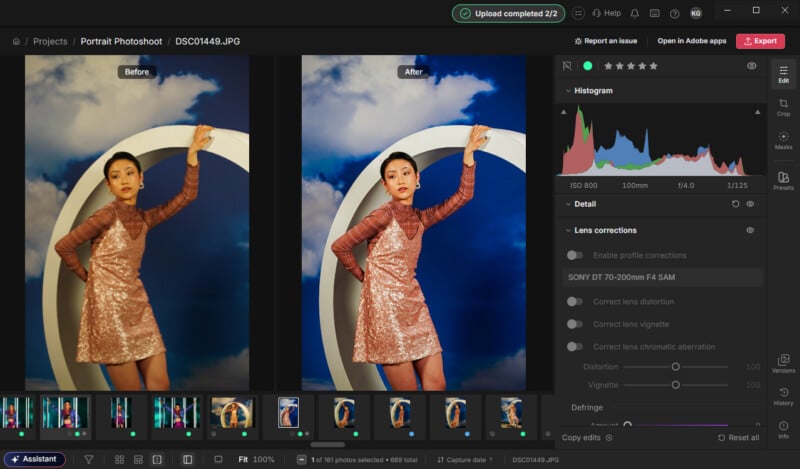
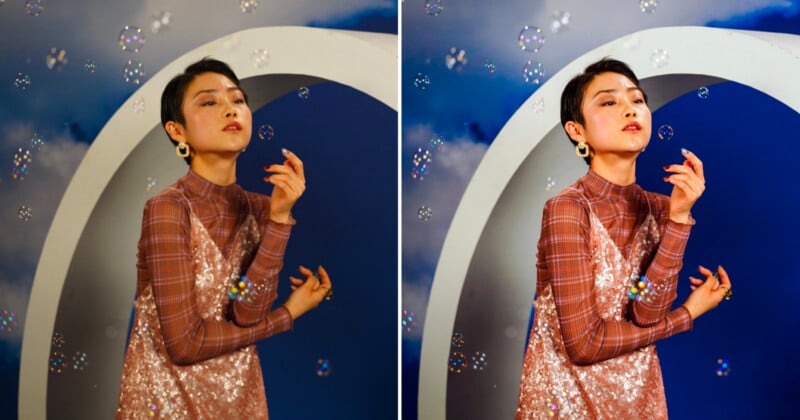
I particularly liked the Love & Light AI Profile during my testing. Its treatment of color and tones was close to the type of clean, natural look I tend to aim for in my own post-processing. It did not feel like someone had dropped a stylized filter over the images. The adjustments felt more responsive to the photographs themselves, which made the profile a useful starting point rather than something I would immediately need to undo.
That does not mean I would hand over every editing decision and walk away. I am particular about my final images, and there will always be photographs that need individual attention. But there is a meaningful difference between starting with an image that needs a few refinements and starting with a completely untouched file.
I can especially see this being useful for wedding and event photographers. After spending an entire day shooting thousands of photographs, the last thing many photographers want is to sit down late at night, manually cull, and start editing that gallery. With Intelligent Studio, I could see a photographer upload the shoot, set the AI tools in motion, and let the system work overnight. The photographer could then return to a gallery that has already been analyzed and lightly edited, ready for review and refinement.
That is where the processing time becomes less of a problem for me. If the system takes time to run but does the work in the background while I do something else, the question becomes less about whether the AI is instant and more about whether the time it saves me afterward is worth the wait.
For large commercial shoots, weddings, and other high-volume projects, I think that is the more interesting proposition. The value is not necessarily that Imagen can edit a photograph faster than I can edit one photograph. It is that it can work through a large number of photographs while I am doing something else, giving me a much more developed starting point when I return to the project.
Lightroom Still Has a Place in the Workflow
Imagen is not forcing photographers to abandon Lightroom. AI Profile edits and AI tools can still be downloaded to Lightroom Classic, Bridge, Photoshop, or Camera Raw as XMP files.
However, there is an important distinction. Manual adjustments made directly in Intelligent Studio stay in Imagen and aren’t included in those XMP downloads. That means photographers who rely heavily on Lightroom can continue using it alongside Imagen, while those who want to keep more of their workflow inside Imagen can now do so.
I think that flexibility is important because professional photographers rarely have identical workflows. Some may want Imagen to handle the heavy lifting before finishing everything in Lightroom or Photoshop, while others may prefer to keep the entire project inside one workspace.
Designed for High-Volume Photography
The features in Intelligent Studio make the most sense to me when viewed through the lens of photographers who regularly process hundreds or thousands of images.
A portrait photographer with a smaller shoot may not need every part of the system. A wedding photographer handling a full day’s worth of images faces a very different problem. The same is true for commercial photographers producing large sets of product, lifestyle, or campaign images where consistency across a gallery matters as much as the individual photographs.
That is also where the AI Profile system becomes more interesting. The more a photographer can establish a recognizable editing approach, the more useful it becomes to have the software reproduce that approach across a large body of work while still making image-specific decisions.
The result isn’t a completely hands-off workflow, and I don’t expect it to replace my own judgment. The AI isn’t instant, but I can start a large gallery processing and walk away while Imagen does the work in the background.
For photographers working with large shoots, particularly weddings and commercial projects, that tradeoff could be worthwhile. The real appeal is spending less time sitting at the computer and more time creating or simply doing anything other than the slog of manually working through thousands of images.
Pricing and Availability
Imagen’s Intelligent Studio begins rolling out to existing customers in stages starting September 29. It arrives within the existing Imagen product, so current customers do not need to download a separate application or create a new account.
Imagen offers two pricing options. Pay-as-you-go costs $7 per month minimum, with additional usage-based charges, while the Limitless plan uses a flat monthly rate.
The pay-as-you-go pricing model also changes with Intelligent Studio. Rather than being charged each time an AI tool is applied, photographers are charged based on the photographs they ultimately export. That means photographers can use AI tools and continue working within a project without accumulating a separate charge for every AI action along the way.
Image creditsPhotographs by Kate Garibaldi
Affiliate Disclosure PetaPixel articles may include affiliate links; we may earn a commission if you buy through one.